 Citenook1
Blog · Guides
AI document search: find what your files mean, not just the words
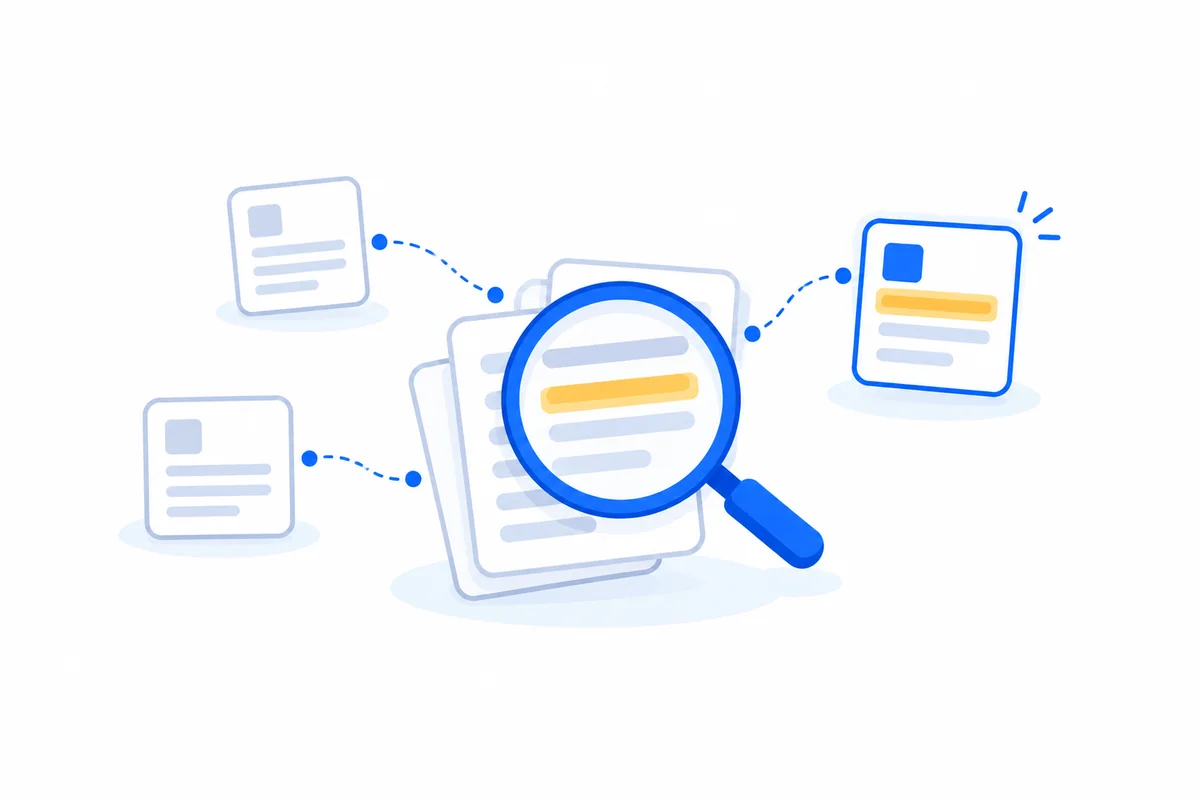
AI document search finds passages by what they mean, not just the exact words you type, and can answer a question with a link to the source. On a Copilot+ PC, Windows does this built in. On a Mac, Spotlight matches words, so you need an app such as Citenook, DEVONthink or AnythingLLM. In the cloud, there's Google Drive with Gemini, Gemini Notebook and ChatGPT Projects; for a whole company, Microsoft 365 Copilot or Glean.
This guide explains the three kinds of search in plain words, shows a test on a folder of made-up contracts, and compares the main options by where your files go and what they cost, checked on each company's own pages on 26 October 2026. We make Citenook, one of the apps here, so we've tried to be plain about where others do better.
Keyword search, meaning search and AI answers
- Keyword search finds the words you type. Search for "end the contract" and it misses a file that says "terminate the agreement."
- Meaning search, also called semantic search, finds text about the same thing in different words. Microsoft's example: "if you searched for pasta you might also get results for lasagna."
- AI answers go one step further: a model reads the passages the search found and writes an answer. Good tools link each line to the passage, so you can check it.
How meaning search works: a small AI model turns each chunk of text into a list of numbers, so passages with similar meanings end up close together. Your question gets the same treatment, and the closest passages come back first. Most good tools mix both kinds of search, since keyword search is still better for exact names and numbers.
Our test: Spotlight vs meaning search
We made five fake files for a freelance designer: four client contracts (a PDF, two Word files and a text file) and a page of meeting notes. Each contract says how much notice is needed to end it, in different words: "terminate," "cancel" and "end this agreement." Then we searched them with Spotlight on a Mac running macOS 27:
| Spotlight search | Files found |
|---|---|
| walk away | None |
| end the agreement early | None |
| cancel | 1 of the 4 contracts |
| terminate | 2 of the 4 contracts |
| notice | All 5 files, notes included, in no useful order |
Spotlight did read inside the PDF and Word files. It just matches words. Then we asked Citenook, running the Qwen3.5 9B model on the Mac: "How quickly can each client walk away from their contract?"
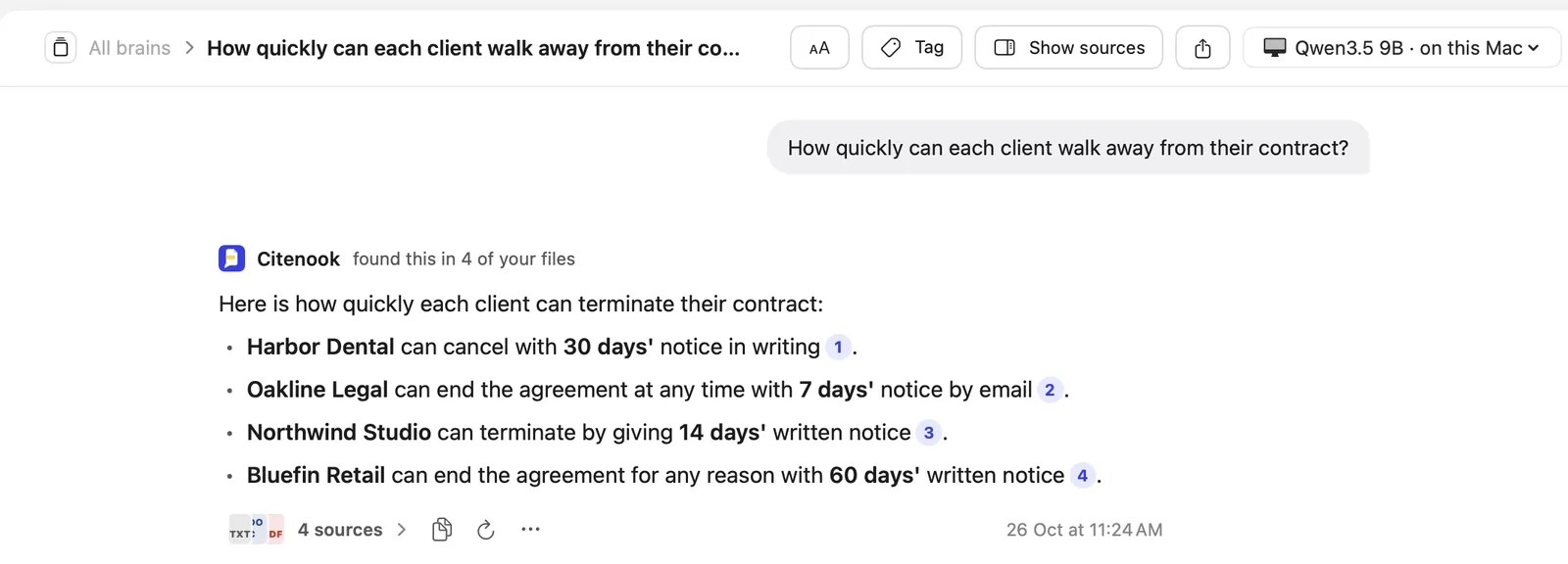
It found all four contracts in 9 seconds and gave each notice period with a link to the clause. One honest catch: when we first asked "Which clients can walk away from their contract quickly?", the search found the same four contracts, but the model put Harbor Dental's 30 days among the quick ones and Northwind's 14 days among the slow ones. The search worked; the small model's reasoning didn't. That's why the links to the source matter.
In our own larger test inside Citenook (16 files, 53 questions), the right passage was in the top five results 91% of the time with keyword and meaning search combined, 84% with meaning search alone and 71% with keyword search alone. That's our app and our questions, not an independent benchmark.
The options at a glance
| Tool | By meaning? | Files read on | Price |
|---|---|---|---|
| Windows on a Copilot+ PC | Yes | Your PC | Built in |
| Spotlight | Words only, in our test | Your Mac | Built in |
| Citenook | Yes, with cited answers | Your Mac | From $9.99 a month |
| DEVONthink | Related files; AI chat in Pro | Your Mac | $99, Pro $199 |
| Anything | Yes | Your computer | Free |
| Google Drive with Gemini | Yes | Google's cloud | Eligible paid plan |
| Gemini Notebook | Answers from uploads | Google's cloud | Free tier |
| Microsoft 365 Copilot | Yes, across work files | Microsoft's cloud | $30 per user a month |
| Paperless-ngx | Full text; AI optional | Your server | Free |
On your own computer
Windows: Copilot+ PCs do "semantic indexing along with traditional indexing," and Microsoft says the data it gathers is "stored locally on your PC." It needs Windows 11 version 24H2 or later on a Copilot+ PC, works in six languages, and covers PDFs, Word, PowerPoint, Excel and text files. On other PCs, Windows Search still looks inside files, but by words.
Mac: Spotlight finds words inside files, as our test showed, but Apple doesn't describe meaning search for files. For that, you need an app:
- Citenook (our app) keeps whole folders searchable by keyword and meaning together, answers with a link to the exact passage, and runs on the Mac with Apple Intelligence or a downloaded model. More below.
- DEVONthink 4 is a long-standing Mac document manager. Every edition has OCR and finds related documents; AI chat and assisted search need Pro ($199) or Server ($499). It works with cloud AI or local models through LM Studio and Ollama. It needs macOS Ventura or later.
- Elephas answers from your files on Mac, iPhone and iPad, with plans from $19 a month, and can use cloud or local models.
- AnythingLLM is a free, open-source desktop app that indexes documents into workspaces and runs models locally or connects to cloud ones. See Citenook vs AnythingLLM.
In the cloud
- Google Drive with Gemini: "you can search with everyday phrases instead of exact file names or keywords," and answers link to the files. You need "an eligible Google Workspace or Google AI plan."
- Gemini Notebook (NotebookLM) answers only from files you upload, up to 50 per notebook on the free plan, and can't search across notebooks. See NotebookLM alternatives.
- ChatGPT and Claude Projects answer from files you add to a project, with limits on how many. See ChatGPT's file upload limits.
All of these read your files on the company's servers, so check your firm's rules before adding client documents.
For a whole company
Microsoft 365 Copilot draws on your Microsoft 365 work content using what Microsoft calls a semantic index of your work data. It costs $30 per user a month, paid yearly, on top of a qualifying Microsoft 365 plan; a Copilot Business add-on for smaller firms is $18 per user a month, paid yearly, until 31 December 2026. Glean connects many company apps but publishes no prices; you book a demo.
Self-hosted and open source
Paperless-ngx is a free document server that "performs OCR on your documents, adding searchable and selectable text, even to documents scanned with only images," in more than 100 languages. It now has optional AI features (suggestions, similar documents and a document chat), off by default, which can run on a local Ollama model. It runs in Docker, so expect some setup. Open WebUI and AnythingLLM can also index documents; see LM Studio alternatives for both.
What about scanned PDFs?
A scanned page is a picture, so search needs OCR (text recognition) first. DEVONthink includes OCR in every edition, Paperless-ngx runs it on every document, and Citenook reads scanned pages with the Mac's own text recognition, which can miss faint or handwritten text. For the cloud tools, the pages we read didn't say how well they handle scans, so test one first. Spotlight's Live Text finds text in images "in select languages."
Is AI document search private?
It depends on where the files are read. Windows on a Copilot+ PC, Spotlight, and Mac apps running a local model keep everything on your computer. Cloud tools upload your files, and some, like ChatGPT, can also remember details between chats; see how ChatGPT memory works. For a fuller guide, read what private AI really means.
If you want answers from your folders on a Mac
Citenook reads the folders you pick, plus Apple Notes and Obsidian, keeps them up to date as files change, and answers with a number next to every fact that opens the file at that passage. If your files don't say something, it tells you so. With Apple Intelligence or a downloaded model, nothing leaves the Mac. It needs a Mac with Apple silicon and macOS 15 or later, small models can get reasoning wrong as our test showed, and it costs from $9.99 a month after a 30-day free trial. For big folders, see how to chat with 1,000 PDFs offline on a Mac.
Questions
What is AI document search?
Search that finds passages by meaning rather than exact words, often with an AI that answers your question and links to the source.
What's the difference between semantic and keyword search?
Keyword search matches the words you type. Semantic search matches the meaning, so "end the contract" can find "terminate the agreement." The best tools combine both.
Does Spotlight search inside PDFs?
In our test on macOS 27, yes: it found words inside a PDF and Word files. It matches words, though, so different wording gets missed.
Can ChatGPT search my documents?
Only the files you upload, for example into a Project, within its file limits. It can't search a folder on your computer.
Can AI search scanned documents?
Yes, if the tool runs OCR first. DEVONthink, Paperless-ngx and Citenook do; for other tools, test a scan before relying on it.
Can AI document search work offline?
Yes. Windows semantic search on Copilot+ PCs, and Mac apps such as Citenook, DEVONthink and AnythingLLM with a local model, work without sending files anywhere.
Sources, checked 26 October 2026: Microsoft, Search indexing in Windows and Microsoft 365 Copilot pricing; Apple, Search with Spotlight; Google, Gemini in Drive; DEVONtechnologies, DEVONthink, editions and local AI; Elephas pricing; AnythingLLM on GitHub; Paperless-ngx docs; Glean pricing. Gemini Notebook and ChatGPT limits from our earlier guides. Spotlight and Citenook results from our own test with made-up files.