 Citenook1
Blog · Guides
ChatGPT file upload limits, and what to do when you hit them
ChatGPT accepts files up to 512 MB each, with text documents capped at 2 million tokens and spreadsheets at about 50 MB. You can attach up to 20 files to one message and upload 80 files every 3 hours on paid plans; the free plan allows 3 uploads a day. Your total storage is capped at 25 GB, and a Project holds 5 to 40 files depending on your plan.
This guide lists every limit by plan, explains how ChatGPT reads PDFs, why uploads fail even under the limits, and what to do when you have more files than ChatGPT allows. The numbers come from OpenAI's help pages, checked on 9 October 2026.
ChatGPT upload limits at a glance
| Limit | Amount |
|---|---|
| File size (documents, PDFs, presentations) | 512 MB per file |
| Text in one document | 2 million tokens, roughly 1.5 million words |
| Spreadsheets and CSV files | About 50 MB, depending on row size |
| Images | 20 MB each |
| Files in one message | Up to 20 on the web (it was 10 until February 2026) |
| Upload rate | 80 files every 3 hours; free plan 3 uploads a day |
| Total storage | 25 GB per user, 100 GB per organization |
OpenAI says it may lower the upload rate at busy times, and ChatGPT doesn't show how much of it you've used. Supported files include PDF, Word, PowerPoint, Excel, CSV and text files; a Google Doc has to be exported first.
Limits by plan
| Plan | Price | Uploads | Files per Project | Library storage |
|---|---|---|---|---|
| Free | $0 | 3 a day | 5 | 500 MB |
| Go | See OpenAI's pricing page | 80 every 3 hours | 25 | 4 GB |
| Plus | $20 a month | 80 every 3 hours | 25 | 20 GB |
| Pro | $100, $200 or $500 a month | 80 every 3 hours | 40 | 100 GB |
| Business | From $25 per user a month ($20 billed yearly) | 80 every 3 hours | 40 | 20 GB |
| Enterprise and Edu | Contact sales | Not listed separately | 40 | Not listed |
Pro isn't unlimited for uploads: OpenAI's help page lists the same 80 files every 3 hours, with no separate number per paid plan. In a Project you can upload only 10 files at the same time, though you can have as many Projects as you like.
Can ChatGPT read PDFs?
Yes, with limits that depend on your plan:
- On most plans, ChatGPT reads only the text in a PDF. Charts, photos and diagrams inside it are skipped. Reading the visuals in PDFs is an Enterprise feature, and even there PDFs added to a Project or a custom GPT are read as text only.
- Scanned PDFs may come through almost empty. A scan is a picture of a page with no text layer, so on text-only reading there's little to read. Run text recognition (OCR) first; many PDF apps can add a text layer.
- Long PDFs are searched, not read whole. ChatGPT looks up the parts that match your question, so it can miss things in a 300-page report. Ask about specific sections, and check its quotes against the file; OpenAI doesn't say it gives page numbers.
Why your upload fails even under the limit
- The text is too long. A 40 MB PDF can still go over 2 million tokens if it's mostly text. Split it.
- You hit the rate limit without noticing. Failed uploads can count toward the 80 files every 3 hours. Wait, then try again.
- Your storage is full. Check Settings → Storage and delete files you no longer need. Deleting a chat doesn't delete its files from your Library.
- You're on another account or plan. If you have a work and a personal account, check which one you're signed in to.
- ChatGPT is having problems. Check status.openai.com.
- "Unknown error occurred". OpenAI doesn't document a fix. Users on its community forum report success with re-saving the PDF as a new file, trying another browser, or waiting out an outage.
What happens to files you upload
- Kept until you delete them. Files in your Library stay until you remove them; then they're deleted within 30 days. Files in a Project or custom GPT stay until you delete the file, Project or GPT.
- Temporary chats don't save files to your Library and aren't used for training, but are kept up to 30 days for safety checks.
- Training: on Free, Go, Plus and Pro, your chats and files can be used to train models unless you turn off "Improve the model for everyone". Business, Enterprise and Edu aren't used for training by default.
For client or confidential files, read is it safe to paste client files into ChatGPT first.
Custom GPT and Project limits
OpenAI's own pages disagree on custom GPT knowledge files: one says 10 files for the life of a GPT, another says 20 files of up to 512 MB each. It matters less now: Free, Go, Plus and Pro users can no longer create new custom GPTs, and OpenAI plans to retire them for Enterprise on 11 December 2026. Projects are the replacement, with the per-plan limits in the table above.
When you have more files than ChatGPT allows
- Use a Project for files you ask about often, so you don't upload them again in every chat.
- Combine small files into one PDF, staying under 2 million tokens.
- Send the part you need, like the chapter or the clause, not the whole document.
- Use a tool built for many files. Google's Gemini Notebook allows 50 sources per notebook on its free plan; see how to work past NotebookLM's source limit.
If your files are on a Mac, you don't have to upload them at all. Citenook reads whole folders on your Mac, hundreds or thousands of PDFs, Word files and spreadsheets, with no upload limit on its Pro plans, and keeps them up to date as files change. Every answer links to the exact sentence and page it came from.
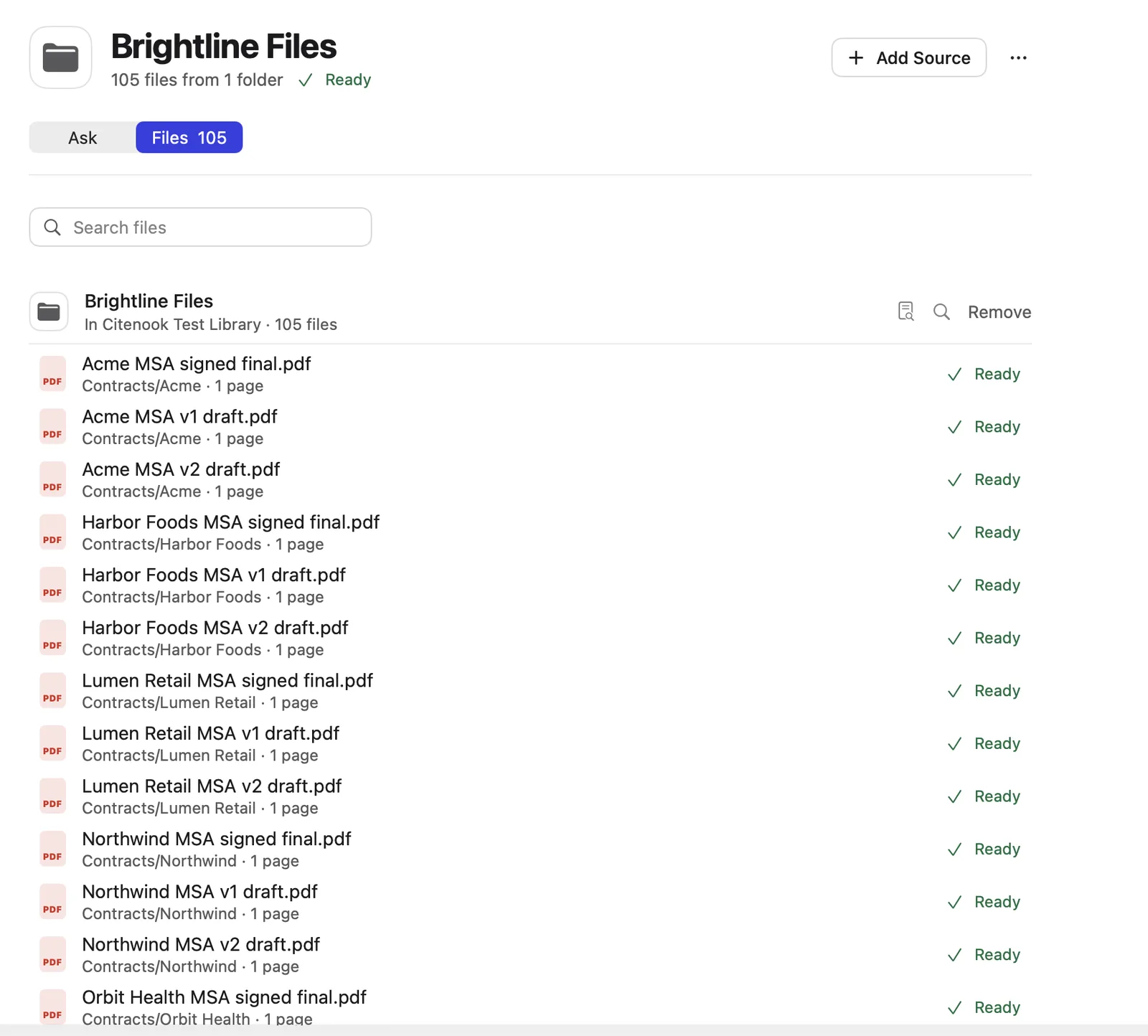
With a model on your Mac, nothing is sent anywhere. You can also use your own OpenAI key; then only your question and the few passages needed for the answer are sent, never whole files. It's Mac only, and models on your Mac write simpler answers than ChatGPT's best models. It's free for 30 days, then from $9.99 a month. See how to chat with 1,000 PDFs offline on a Mac.
Questions
What is ChatGPT's file size limit?
512 MB per file for documents and PDFs, about 50 MB for spreadsheets and 20 MB for images. Text documents are also capped at 2 million tokens.
How many files can I upload to ChatGPT?
Up to 20 files in one message, and 80 files every 3 hours on paid plans. The free plan allows 3 uploads a day.
How long until the upload limit resets?
The 80-file limit is counted over a rolling 3 hours, so uploads become available again as your oldest ones pass the 3-hour mark. ChatGPT doesn't show a counter.
Is ChatGPT Pro unlimited for file uploads?
No. OpenAI lists the same 80 files every 3 hours for paid plans. Pro gives more Library storage (100 GB) and more files per Project (40).
Can ChatGPT read a 100-page PDF?
Yes, if it's text and under 512 MB and 2 million tokens. It searches the file for the parts that match your question rather than reading it all at once, so ask specific questions and check its quotes.
Why can't ChatGPT read my PDF?
Usually because it's a scan with no text layer, it's over the size or token limit, or you've hit the upload rate limit. Run text recognition on scans, split long files, or wait and try again.
Sources, checked 9 October 2026: OpenAI Help Center uploading files to ChatGPT, Library storage, Projects, visual PDF reading, custom GPT knowledge, chat and file retention, data controls, release notes, Plus, Pro, Business; OpenAI community thread on upload errors.