 Citenook1
Blog · Comparisons
The best second brain apps in 2026, and where your notes go
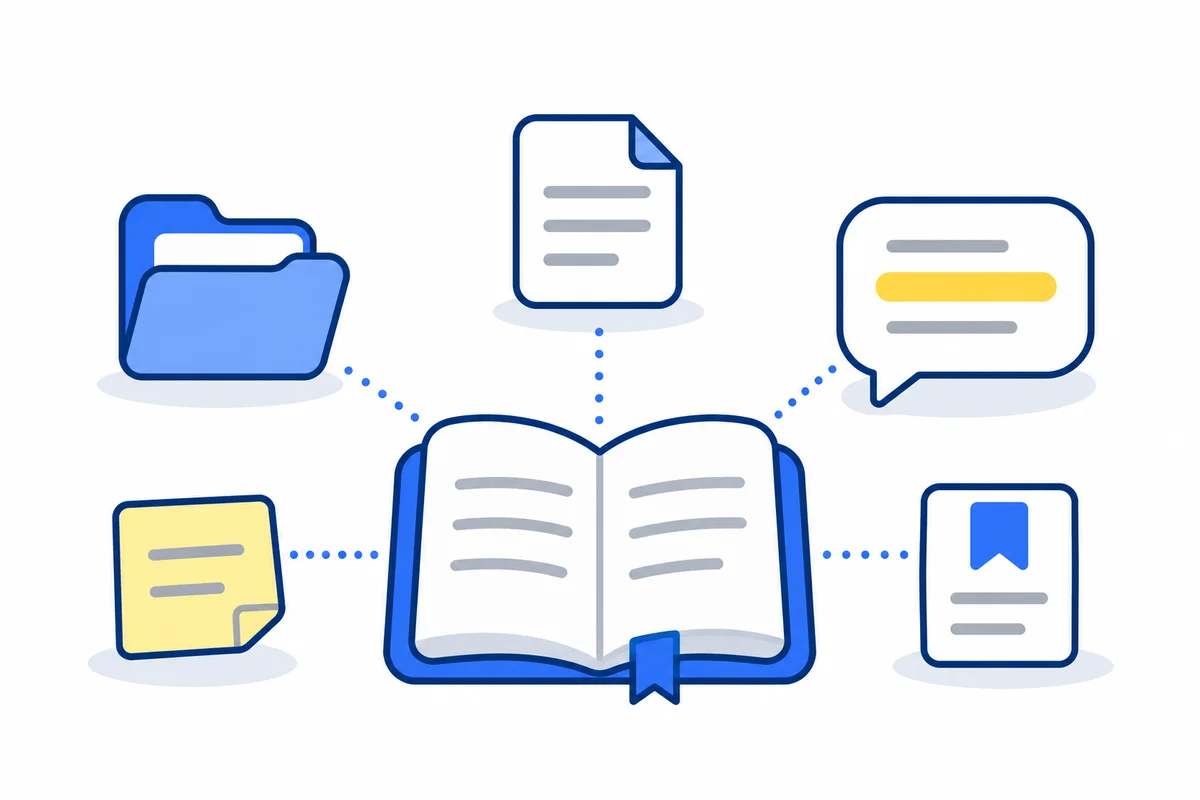
The best second brain app is the one you'll keep using. For most people that's Obsidian if you want free notes stored as files you own, Apple Notes if you want something simple that's already on your Mac and iPhone, or Notion if you want databases and sharing. Capacities and Heptabase suit people who think in connected ideas. Most of these apps now add AI that sends your notes to an online model, so check that before you store anything private.
This guide explains what a second brain is, then compares 11 apps by what they're good at, with prices taken from each maker's own page on 7 November 2026. It also covers where each app's AI sends your notes, which popular lists have old prices, and what to use when the answers you need are in files, not notes.
What is a second brain?
The idea comes from Tiago Forte's book Building a Second Brain (2022). Forte describes it as "an external, centralized, digital repository for the things you learn and the resources from which they come." In plain words: one place outside your head where you keep the ideas, notes and sources worth saving, so you can find and use them later.
Forte's method has four steps, which he calls CODE: Capture, Organize, Distill and Express. You save what's useful, sort it by the project it helps, cut it down to the key points, then use it to make something. For sorting, he uses four folders called PARA:
- Projects: short efforts with a goal, like relaunching a newsletter.
- Areas: ongoing parts of your life, like health or finances.
- Resources: topics you're interested in, like book notes.
- Archives: anything from the other three that's no longer active.
The method doesn't need a particular app. Any notes app that has folders or tags can hold PARA. So pick the app by how you like to work, not by what it calls itself.
The best second brain apps compared
Prices are in US dollars, as shown on each app's pricing page on 7 November 2026. "Yearly" means the monthly price when you pay for a year.
| App | Best for | Where notes live | Free plan | Paid from |
|---|---|---|---|---|
| Obsidian | Notes you own, with links | Markdown files on your device | Whole app | Sync $4 a month yearly |
| Apple Notes | Quick capture on Apple devices | On the device and iCloud | Yes | Only iCloud storage |
| Notion | Databases and sharing | Notion's servers | Yes | Plus $10 a seat yearly, $12 monthly |
| Capacities | Ideas as connected objects | Its servers, in the EU | Basic | Pro $9.99 a month yearly |
| Heptabase | Visual research on whiteboards | Not stated on its pricing page | No | Pro $8.99 a month yearly, $11.99 monthly |
| Logseq | Daily journals and outlines | Files on your device (older version) | Whole app | No sync price published |
| Anytype | Privacy, with encryption keys only you hold | Your device, with encrypted sync | Yes, 100 MB of sync | Plus $4 a month |
| Reflect | Daily notes and backlinks on a Mac | Markdown files in a folder you choose | Free on Mac | iPhone and iPad app is paid |
| Bear | Writing on Mac, iPhone and iPad | On the device, iCloud sync with Pro | Yes | Pro $2.99 a month or $29.99 a year |
| Mem | AI that finds tasks in your notes | Mem's servers | 25 new notes a month | Plus $9 a month |
| Recall | Saving articles, videos and PDFs | Recall's servers | 10 AI summaries a month | Plus $10 a month yearly |
Which second brain app should you pick?
- You want to own your notes forever: Obsidian. Your notes are plain text files in a folder that any other app can open, and the app itself is free.
- You want the simplest start: Apple Notes. It's already on your Mac and iPhone, it's free, and folders are enough for PARA.
- You want tables, databases or a shared team space: Notion.
- You think visually: Heptabase for whiteboards of cards, or Capacities for notes as linked objects like people, books and meetings.
- You want privacy without fuss: Anytype, or Obsidian with notes kept only on your device.
- You mostly save things you read and watch: Recall.
- Your knowledge is in contracts, reports and PDFs, not notes: a note app won't read those for you. See answers from the files you already have.
Apps that keep your notes as files you own
Obsidian stores notes as Markdown text files in a folder it calls a vault. The app is "Free without limits," and a commercial license is optional. Sync costs $4 a month yearly or $5 monthly, with end-to-end encryption. Obsidian has no AI built in; AI comes from community plugins, which we compared in Obsidian AI plugins and their privacy.
Logseq is free and open source, built around daily journals and outlines. Its new database version is still in beta, and its sync is in alpha, so keep backups if you try it.
Reflect changed in July 2026. It's now an open-source Mac app that's free and keeps your notes as Markdown files in a folder you choose, synced with iCloud Drive or Git. The iPhone and iPad app is a paid subscription. Its AI uses your own API key, and Reflect says requests go directly to your provider.
Anytype is open source and promises "Local, on-device encryption", where only you hold the keys. The free plan includes 100 MB of sync storage; paid plans add more, from $4 a month.
Bear is a Markdown writing app for Mac, iPhone and iPad only. It's free without sync. Bear Pro, at $2.99 a month or $29.99 a year, adds iCloud sync, note encryption and search inside PDFs and images.
Apps built on the cloud
Notion is a workspace of pages and databases, good for structured systems and sharing with others. Plus costs $10 a seat a month paid yearly, or $12 monthly. AI is a trial on Free and Plus, and fuller on Business at $20 a seat yearly.
Capacities treats each note as an object, such as a person, book or meeting, and links them. Basic is free on Mac, Windows, Linux, iPhone and Android. Pro, at $9.99 a month paid yearly, adds an AI assistant. Data is stored in EU data centers.
Heptabase is for visual thinkers: you lay cards out on whiteboards and connect them. There's no free plan. Pro costs $8.99 a month yearly or $11.99 monthly and includes an AI agent using Google's Gemini models.
Mem is AI first. It reads your notes to pick out tasks and projects, and records meetings in Voice Mode. Free allows 25 new notes and 25 messages to Mem a month; Plus is $9 a month and Pro $29.
Recall saves articles, YouTube videos, podcasts and PDFs, then summarizes and links them. It runs on the web, browser extensions and phones. Free gives 10 AI summaries a month; Plus is $10 a month paid yearly.
Apple Notes sits between the two groups. Notes are on your devices and synced through iCloud. They're end-to-end encrypted only if you turn on Advanced Data Protection; by default, Apple holds the keys.
Where does each app's AI send your notes?
If your second brain holds client notes, health details or money matters, this matters more than features. Most roundups skip it.
| App | AI | Where it runs |
|---|---|---|
| Obsidian | None built in | Depends on the plugin; some run on your device |
| Notion | Notion AI | Online AI providers, which keep data "30 days or fewer" on Free, Plus and Business |
| Heptabase | AI agent | Online models: Gemini on Pro; GPT, Claude and Gemini on Premium |
| Capacities, Mem, Recall | Built in | Online |
| Reflect | Optional, your own key | Sent straight to the AI company you pick |
| Apple Notes | Apple Intelligence | On the device, or Apple's Private Cloud Compute |
| Bear, Logseq | None built in | Nothing is sent |
Notion says neither it nor its AI providers train on your data by default. That's good, but "not used for training" isn't the same as "never leaves your device." For the difference, see what private AI really means.
Prices other lists get wrong
Most "best second brain app" lists are written by app makers, and each ranks its own app first. Several are out of date. As of 7 November 2026:
- Reflect is no longer $10 a month with no free plan. The Mac app is now free and open source.
- Tana's main product is now a meeting assistant. Its notes outliner is a separate product called Tana Outliner, so lists that describe Tana as a notes app are describing the older product.
- Mem costs $9 or $29 a month, not the $8 to $15 that some lists quote.
- Anytype's free plan has 100 MB of sync storage, not 1 GB.
- Notion Plus is $10 yearly or $12 monthly, and Business $20 yearly.
- Elephas now lists $19 and $29 a month on its pricing page, while its own second brain article still shows older, lower prices.
When the answers are in files, not notes
A second brain app is where you write and organize notes. But a lot of what you know never becomes a note. It sits in PDFs, contracts, Word files, spreadsheets and old exports you'll never copy into Notion. For those, you need a different kind of tool: one that reads the files you already have and answers questions from them.
Two Mac apps do this with your files staying on the computer. Elephas builds "Private Brains" from your documents, runs on Mac and Windows, and costs $19 or $29 a month after a 7-day trial. Citenook, which we make, does the same job on the Mac. Both can also use a model that runs on the computer, so nothing is sent online. For more options, including ones that only search, see AI document search.
We tried it on a made-up second brain
We made a small PARA vault with six made-up files: a newsletter project note, notes from a review meeting, book notes, a physio plan, an old 2025 plan in Archive, and a Word file of pricing ideas. We added the folder to a test copy of Citenook as one brain and asked, with a model running on the Mac and no internet needed: "What did I decide about how often the newsletter goes out, and why?"
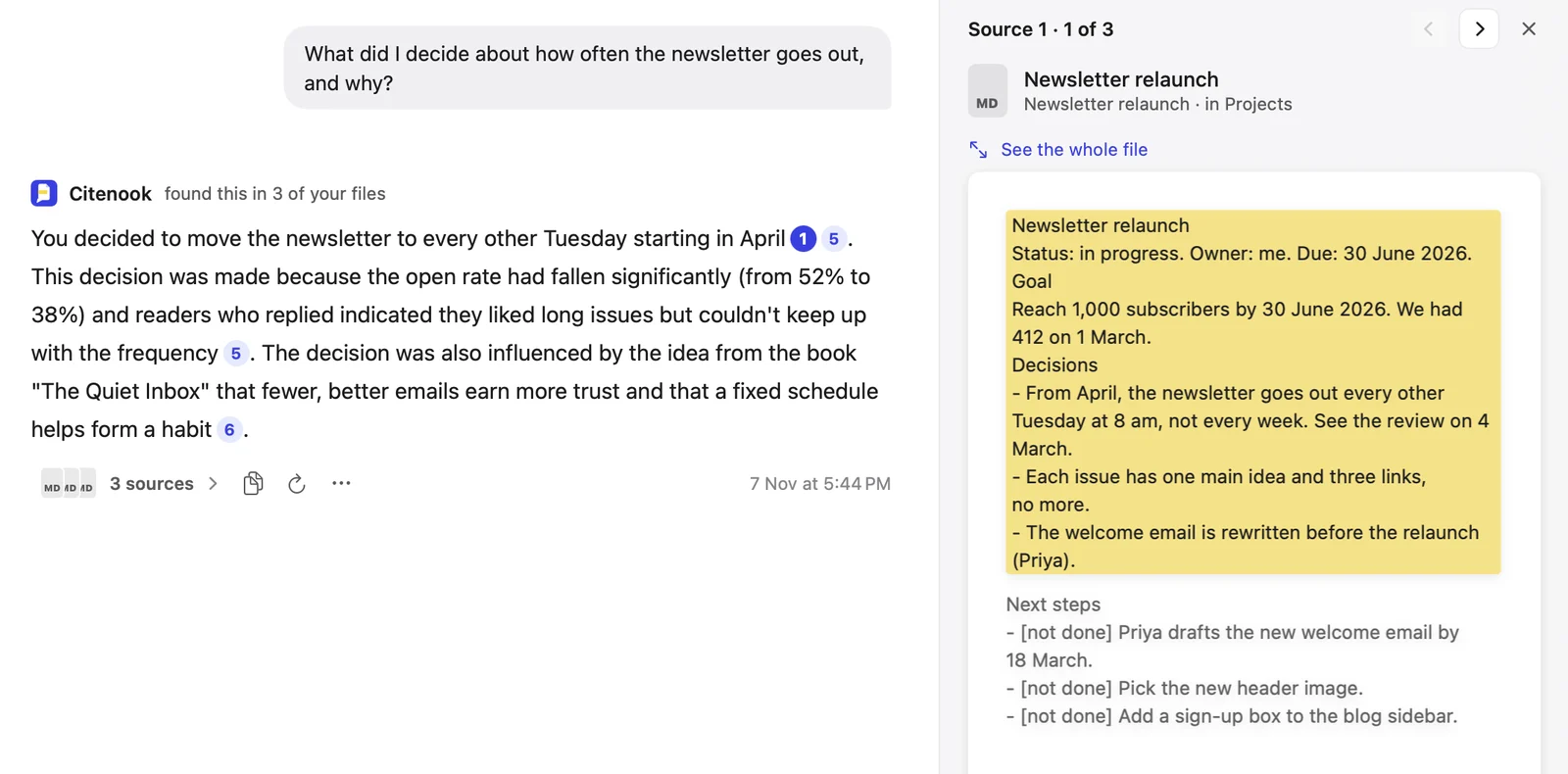
The answer pulled from three files: the decision from the project note, the reason (open rates falling from 52% to 38%) from the meeting notes, and the idea behind it from the book notes. Each fact had a number linking to its source, and clicking one opened the note with the passage highlighted. It ignored the physio plan, as it should. It also didn't mention the old 2025 plan to send weekly on Fridays. That was the right call for this question, but if you want old and new compared, ask for that directly.
Where Citenook fits, and where it doesn't
Citenook isn't a second brain app in the usual sense. You can't write, link or organize notes in it. It reads what you already have: folders of PDFs, Word files, spreadsheets and Markdown, plus Obsidian vaults, Apple Notes, Notion pages, web pages and YouTube videos. You can make a brain for each project, client or subject, which lines up with PARA, and ask across several at once.
So the honest setup is to pair it: write in Obsidian or Apple Notes, and use Citenook to ask questions across those notes and your other files, with the source shown for each answer. It runs only on Macs with Apple silicon and macOS 15 or later. It's free for 30 days, then from $9.99 a month.
Questions
What is the best free second brain app?
Obsidian, if you're happy with a few minutes of setup: the whole app is free and your notes are files you keep. Apple Notes is the easiest free choice on Apple devices. Notion, Capacities, Logseq and Anytype also have free plans.
Is Obsidian or Notion better for a second brain?
Obsidian if you want your notes stored on your device as plain files and to work offline. Notion if you want databases, templates and to share pages with others. Notion keeps everything on its servers.
Is Apple Notes good enough for a second brain?
For many people, yes. It has folders, tags, links between notes and quick capture on every Apple device. It has no plugins or graph view, which Obsidian has.
What is the best second brain app for Mac?
Obsidian, Apple Notes, Bear and Reflect all work well on a Mac. Reflect and Bear are the most Mac-like; Obsidian has the most plugins. See also the best AI apps for Mac.
Can ChatGPT be your second brain?
Not really. ChatGPT's memory keeps facts about you and can refer to past chats, but it isn't a library of your notes and sources that you can organize. See what ChatGPT memory saves.
Which second brain app is the most private?
Apps that keep notes on your device and have no AI that sends them online: Obsidian without plugins that call online AI, Logseq, Anytype, or Bear. Apple Notes is end-to-end encrypted only with Advanced Data Protection turned on.
Sources, checked 7 November 2026: Forte Labs Building a Second Brain overview and PARA method; Obsidian pricing and data storage; Notion pricing and Notion AI security practices; Capacities pricing; Heptabase pricing; Logseq on GitHub; Anytype pricing; Reflect and Reflect Open announcement; Bear Pro; Mem pricing; Recall pricing; Tana; Elephas pricing; Apple iCloud data security overview. Citenook's test used made-up files in a test copy of the app. Prices change, so check the maker's page before you buy.