 Citenook1
Blog · Guides
Offline AI: what works without internet on your computer and phone
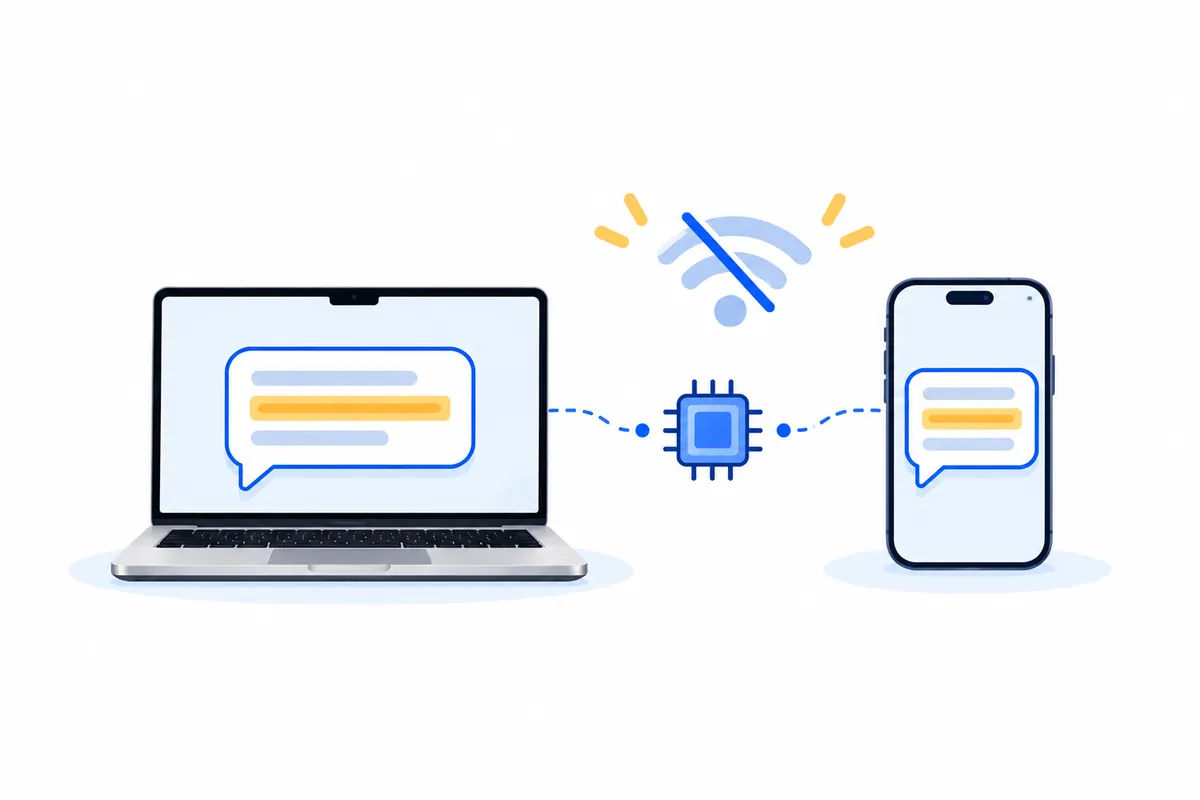
Yes, there's AI that works without internet. Offline AI apps download a model once, then run it on your own computer or phone, so nothing you type is sent anywhere. On a computer, LM Studio, Ollama and Jan are the free starting points; on a phone, PocketPal AI, Private LLM and Google's AI Edge Gallery. The catches: the first download needs internet, offline models are smaller than ChatGPT, and they can't search the web.
This guide covers what "offline" really means, the main apps for computers and phones, which models to use and how much memory they need, our own speed test of five models on a Mac, voice and image tools, the limits, and how to start. Facts come from each project's own site, GitHub page or app store listing, checked on 17 October 2026.
What "offline AI" really means
- The model runs on your device. An AI model is a file, usually 2 to 20 GB. Offline apps load it into your computer's or phone's memory and answer there.
- You need internet once. Every app on this list downloads its model first. After that, it works with Wi-Fi off.
- "Private" and "offline" aren't always the same. Some apps run models locally but also offer cloud models or web search. Those parts need internet and send data out.
- Apple Intelligence is only partly offline. Apple runs a model of about 3 billion parameters on the device, but its support page says some features "rely on server-side models," which run in Apple's Private Cloud Compute.
ChatGPT, Claude and Gemini themselves don't work offline; see can you use ChatGPT offline for OpenAI's free model that does.
Offline AI apps for Mac, Windows and Linux
| App | Best for | Price | Open source |
|---|---|---|---|
| LM Studio | The easiest start: browse, download and chat with models in one window. Macs need Apple silicon. | Free for local models | No |
| Ollama | Running models in the background for other apps; now has a chat window too | Free for local models | Yes (MIT) |
| Jan | A ChatGPT-style app that "runs 100% offline on your computer" | Free | Yes (Apache 2.0) |
| AnythingLLM Desktop | Chatting with your documents; keeps models, documents and chats on your machine | Free | Yes (MIT) |
| GPT4All | Simple local chat with a document feature; no new release since February 2025 | Free | Yes (MIT) |
| llamafile | Running a model from a single file, for technical users | Free | Yes (Apache 2.0) |
LM Studio and Ollama also sell optional cloud plans; skip those if you want everything local. For a head-to-head, read LM Studio vs Ollama.
Offline AI apps for iPhone and Android
| App | Phones | Price |
|---|---|---|
| Google AI Edge Gallery | Android 12+ and iOS 17+; runs Google's Gemma models; "No internet is required" after download | Free, open source |
| PocketPal AI | iPhone and Android; "runs entirely on your phone," no account | Free, open source |
| Private LLM | iPhone (A12 chip or later, iOS 17+) and Mac | $4.99 once |
| Locally AI | iPhone (iOS 18.1+) and Mac; listed as "by LM Studio" | Free |
| Apple Intelligence | iPhone 15 Pro, iPhone 16 or later, iPhone Air; Macs and iPads with M1 or later | Free, built in; some features use Apple's servers |
On Android, Google's Gemini Nano also runs some features on the device, such as summarizing and proofreading in supported apps, without a network connection. Phones have much less memory than computers, so stick to small models of 1 to 4 billion parameters.
Which models to run, and how much memory you need
| Model family | Download sizes | Licence |
|---|---|---|
| Qwen3 (Alibaba) | 4B 2.5 GB, 8B 5.2 GB, 14B 9.3 GB, 32B 20 GB | Apache 2.0 |
| Gemma 4 (Google) | E2B 2.9 GB to 31B 17.5 GB; E4B is built for laptops and phones | Apache 2.0 |
| Gemma 3 (Google) | 1B 0.8 GB, 4B 3.4 GB, 12B 8.2 GB, 27B 17 GB | Gemma terms |
| gpt-oss (OpenAI) | 20B 14 GB, 120B 65 GB | Apache 2.0 |
| Llama 3.1 (Meta) | 8B 4.9 GB, 70B 43 GB | Meta's licence |
| DeepSeek R1 smaller versions | 1.5B 1.1 GB to 70B 43 GB | MIT |
Sizes are Ollama's downloads, except Gemma 4, which shows Google's 4-bit weights. A simple rule: you need at least the file size in free memory, plus room for the conversation. Jan's guide suggests 8 GB of RAM for 3B models, 16 GB for 7B and 32 GB for 13B. LM Studio recommends 16 GB or more on a Mac. On an 8 GB computer, a 4B model is the comfortable limit.
Our test: five offline models on one Mac
We ran five models in Citenook on a Mac with an M4 Pro chip and 24 GB of memory, with the same question about three made-up files: a 2025 employee handbook (5 carry-over days), a 2026 handbook (10 days, to be used by 31 March) and HR meeting notes. Time is from pressing Ask to the finished answer, with the app already open.
| Model | Download | Time | Answer |
|---|---|---|---|
| Apple Intelligence | Built into macOS | 5 s | Both rules, said 2026 is newer; wordy and repetitive |
| Qwen3 4B | 2.3 GB | 5 s | 10 days from the 2026 handbook; didn't mention the old rule |
| Qwen3 8B | 4.6 GB | 7 s | Both rules and "10"; clumsy layout |
| Gemma 4 E4B | 5.2 GB | 6 s | Both rules, but didn't say which applies |
| Qwen3.5 9B | 6.0 GB | 8 s | Both rules, and said the 2026 handbook is current because it took effect 1 January 2026 |
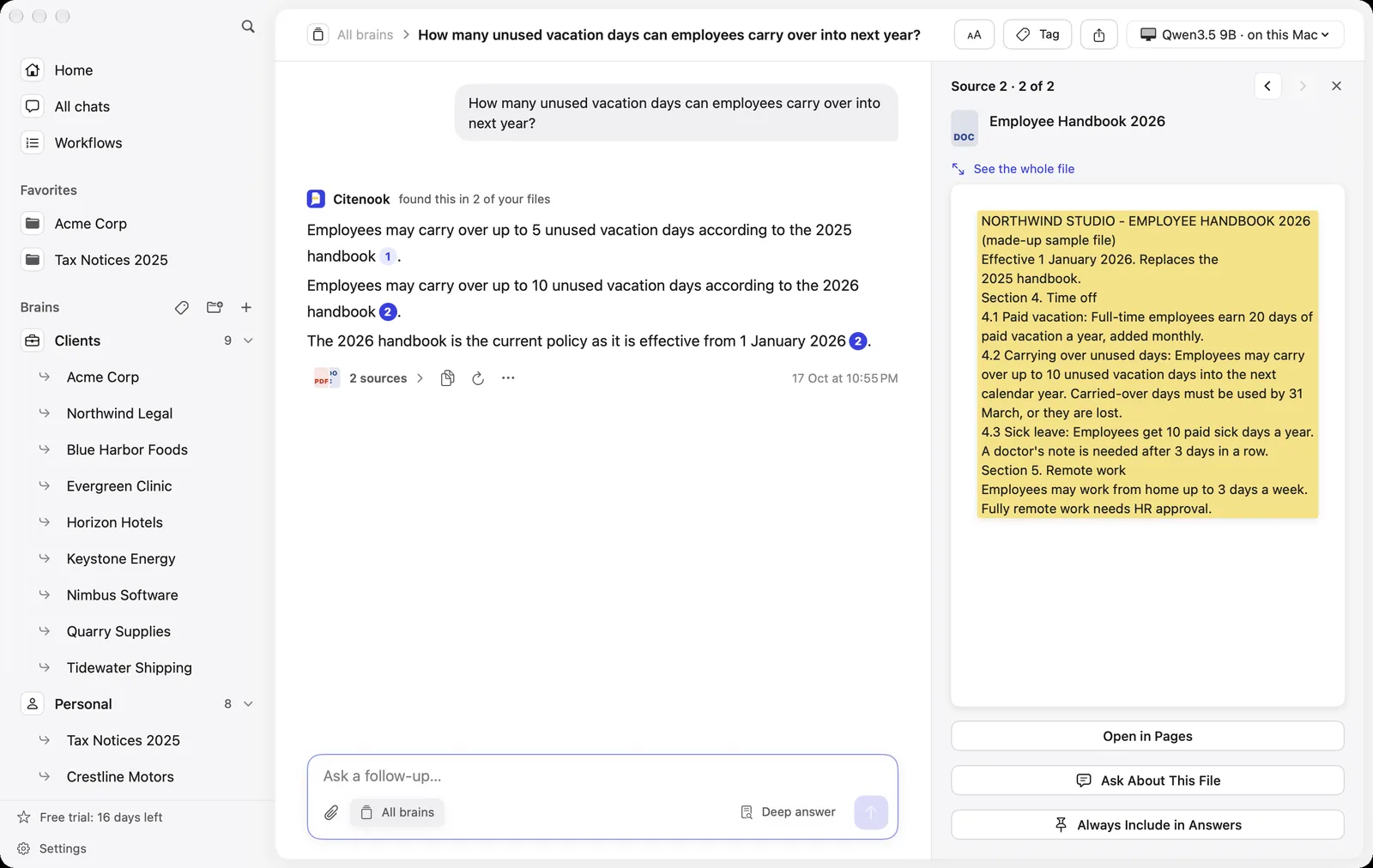
Every model answered in under 10 seconds, and all were right about the current rule. The bigger models handled the two versions better. None mentioned that carried-over days must be used by 31 March, which was in the highlighted source, so read the source for anything that matters.
Offline voice and image tools
- Transcription: MacWhisper says "all transcription is done on your device." OpenAI's Whisper model behind many of these apps is open source. Apple's dictation can process speech on the device, and its settings show whether it does for your language.
- Images: Draw Things, on Mac and iPhone, says it can "create art 100% offline." It's free, with optional paid extras.
Our best AI apps for Mac guide covers these in more detail.
What offline AI can't do
- No live web. Answers come from what the model learned and what you give it. Web search features need internet.
- Weaker on facts. Google's Gemma 4 model card says the models "are not knowledge bases" and may give "incorrect or outdated factual statements." OpenAI compares gpt-oss 20B with its older o3-mini, not its current models.
- Needs memory. A model that doesn't fit in memory will be slow or won't load.
- Vague questions go wrong more often. Small models do best with specific questions, as our test showed.
Where offline AI shines is your own documents: the answer is in the file, so the model's general knowledge matters less.
How to start in 10 minutes
- Check your memory: on a Mac, Apple menu, About This Mac. 8 GB means small models; 16 GB or more opens up 8B models.
- Install one app: LM Studio or Jan on a computer, PocketPal AI or Google AI Edge Gallery on a phone.
- Download one model while you're online: a 4B model on 8 GB, an 8B or 9B model on 16 GB or more.
- Turn off Wi-Fi and ask a question to confirm it works offline.
Offline AI for your own files
General chat apps answer from what the model knows. If your questions are about your own documents, Citenook is a Mac app built for that: it reads your folders of PDFs, Word files, notes and spreadsheets, answers with Apple Intelligence or a model you download, and links every answer to the passage it came from. Nothing is uploaded. Our step-by-step guide to chatting with 1,000 PDFs offline on a Mac shows the setup.
It's Mac only (Apple silicon, macOS 15 or later), isn't a general chatbot, and starts at $9.99 a month after a 30-day free trial. For free chat, LM Studio or Jan are better fits.
Questions
Is there an AI that works without internet?
Yes. Apps like LM Studio, Ollama and Jan on computers, and PocketPal AI, Private LLM and Google AI Edge Gallery on phones, run AI models on your device after a one-time download.
Is offline AI free?
Mostly. LM Studio, Ollama, Jan, PocketPal AI and Google AI Edge Gallery are free for local models, and many models are open source. Some apps charge, like Private LLM at $4.99.
How much RAM do I need for offline AI?
About 8 GB for small 3B to 4B models and 16 GB for 7B to 9B models. Bigger models need 32 GB or more. The model file size is a good guide to the minimum.
Is offline AI as good as ChatGPT?
Not for general knowledge or hard reasoning; the models are smaller. For answering from your own files, rewriting text or simple questions, they do well, and nothing leaves your device.
Can I run AI on my phone offline?
Yes, with small models. Google AI Edge Gallery and PocketPal AI are free on iPhone and Android. Apple Intelligence runs partly on newer iPhones but uses Apple's servers for some features.
Is offline AI private?
When the model runs on your device and you don't turn on cloud features, what you type stays there. Check each app's settings for optional cloud models or web search.
Sources, checked 17 October 2026: LM Studio system requirements and pricing; Ollama and its model library; Jan; AnythingLLM; GPT4All; llamafile; Google AI Edge Gallery; Android Gemini Nano; PocketPal AI; App Store listings for Private LLM, Locally AI and Draw Things; Apple Apple Intelligence requirements and machine learning research; Google Gemma 4 docs; MacWhisper. Speed test from our own run with made-up sample files.