 Citenook1
Blog · Guides
Can you use ChatGPT offline? No, but here's what works
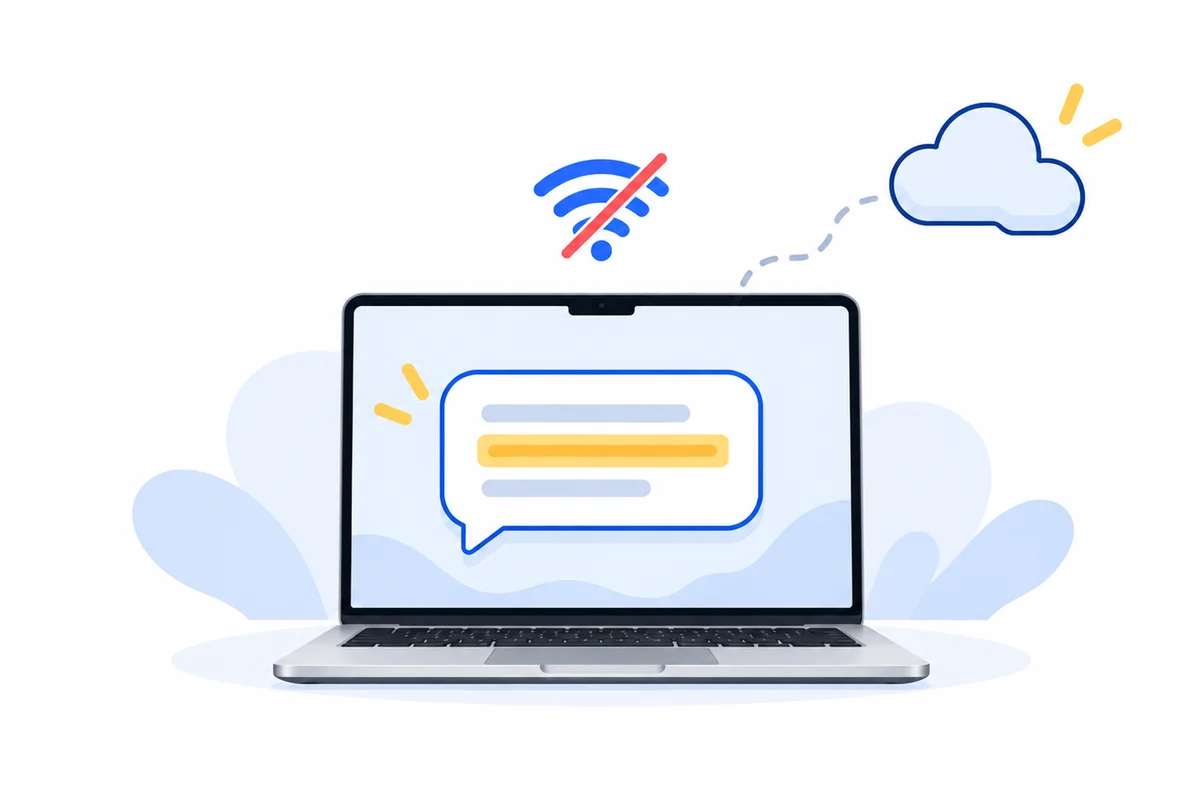
No. ChatGPT runs on OpenAI's servers, so the website and the apps need an internet connection, and OpenAI offers no offline mode. The closest thing is OpenAI's free open model, gpt-oss-20b. You download it once, run it in an app like LM Studio or Ollama, and it works with Wi-Fi off on a Mac with 16 GB of memory. It's smaller than ChatGPT and can't search the web.
This guide explains why ChatGPT needs the internet, the ways to get ChatGPT-style answers offline, how to set one up on a Mac without Terminal, how much memory you need and what you give up. Facts come from OpenAI's, Ollama's, LM Studio's and Apple's own pages, checked on 11 October 2026.
Why ChatGPT doesn't work offline
The models behind ChatGPT are far too large for a laptop, so every message you send is answered on OpenAI's computers. The ChatGPT app for Mac is a window onto that service: it needs macOS 14 and a connection, and OpenAI's help center describes no offline mode. When your connection drops, you can't send anything new. Users have asked OpenAI for an offline option on its community forum, but none has been announced.
Two other things follow from ChatGPT living on OpenAI's servers. Your chats are kept in your account history. And on the Free, Go, Plus and Pro plans, they can be used to train OpenAI's models unless you turn off "Improve the model for everyone" in Settings → Data controls. Even temporary chats are kept for up to 30 days for safety checks.
Ways to use ChatGPT-style AI offline
| Option | What you need | Good for | Limits |
|---|---|---|---|
| gpt-oss-20b in LM Studio | Mac with Apple silicon, macOS 14, 16 GB memory recommended | General chat, writing, one document at a time | 14 GB download; no web search |
| gpt-oss-20b or other models in Ollama | macOS 14; Apple silicon is much faster | Chat, dragging in a PDF, other apps that use Ollama | Its cloud models need the internet; pick a local one |
| Apple's on-device model, through apps that use it | A Mac that supports Apple Intelligence, in a supported region | Short answers, summaries, Macs with 8 GB | Smaller than gpt-oss; you use it inside other apps |
| Citenook | Mac with Apple silicon, macOS 15 | Answers from whole folders of your files, with the source | Paid after 30 days; not a general chatbot |
OpenAI's offline model: gpt-oss
In August 2025 OpenAI released two open-weight models, gpt-oss-20b and gpt-oss-120b, that anyone can download and run on their own computer, free under the Apache 2.0 license. Open-weight means the model file itself is public, so once it's on your Mac it needs no connection at all.
- gpt-oss-20b is the one for a Mac. OpenAI says it gives "similar results to OpenAI o3-mini" on common tests and runs "with just 16 GB of memory". In Ollama it's a 14 GB download.
- gpt-oss-120b is close to OpenAI's o4-mini but needs about 80 GB of memory, which means a high-end workstation, not a laptop.
- Text only. OpenAI trained both on "a mostly English, text-only dataset", so they don't look at images.
It isn't the same as ChatGPT. ChatGPT runs OpenAI's newest and largest models, searches the web and handles images and voice. gpt-oss is a smaller, older model with none of that. For everyday writing and questions it's good; for hard reasoning or current events it's noticeably weaker.
How to run gpt-oss on a Mac, without Terminal
LM Studio is the easiest way. It's free, including at work.
- Download LM Studio from lmstudio.ai. It needs a Mac with Apple silicon and macOS 14 or later. The site now also promotes Bionic, a separate agent app; you want the classic LM Studio app.
- Open the model search, type gpt-oss and download openai/gpt-oss-20b. Do this while you're online.
- Load the model and start a chat.
- Turn Wi-Fi off and ask something. It still answers. LM Studio's docs say nothing you type "leaves your device".
- To ask about a file, attach a PDF, Word or text file to the chat. It stays on your Mac.
Prefer Ollama? Install the Ollama app, choose gpt-oss:20b from its model list and chat in its window; it also accepts PDFs by drag and drop. Ollama now offers cloud models too, and those send your prompt to Ollama's servers, so for offline use pick a model that downloads to your Mac, or turn cloud features off with the OLLAMA_NO_CLOUD=1 setting. For a full comparison, see LM Studio vs Ollama.
How much memory you need
| Your Mac's memory | What works offline |
|---|---|
| 8 GB | Apple's on-device model through apps that use it. gpt-oss-20b won't fit well. |
| 16 GB | gpt-oss-20b, the minimum OpenAI gives. Close other big apps while it runs. |
| 24 to 32 GB | gpt-oss-20b with room to spare, alongside your other apps. |
| 80 GB or more | gpt-oss-120b. |
To check yours, choose Apple menu → About This Mac and look at Memory. LM Studio lists 12 GB as the bare minimum for gpt-oss-20b, but recommends 16 GB or more for running models in general.
What you give up offline
- No web search. A local model only knows what it learned in training, so it can't tell you today's news or prices.
- Weaker on hard questions. Expect simpler answers than ChatGPT's best models, and more mistakes on long reasoning.
- Specific questions work better. In our own test, a model on the Mac answered "In the signed Acme agreement, how much notice is needed to end it?" correctly. Asked the vaguer "What notice do we need to give?", it found all three contract versions but called the wrong one the latest. Name the document or detail you mean.
- Disk space and speed. The model takes about 14 GB, and answers come slower on Macs with less memory.
- No images or voice with gpt-oss.
Offline AI for your own documents
Many people want ChatGPT offline because of the files, not the chat: contracts, client files or patient notes that shouldn't go to anyone's server. LM Studio and Ollama can read a document you attach. For long files, LM Studio picks out the parts it thinks matter, which its docs say "sometimes requires some tuning and experimentation". Neither keeps track of whole folders or shows you which sentence an answer came from.
Citenook is built for that. It reads whole folders on your Mac, PDFs, Word files, spreadsheets, Apple Notes and more, and every answer links to the exact sentence and page it came from. With Apple Intelligence or a free model you download in Settings, it works with Wi-Fi off and nothing leaves your Mac. It can also use the models you already run in Ollama or LM Studio, on the Pro plan.
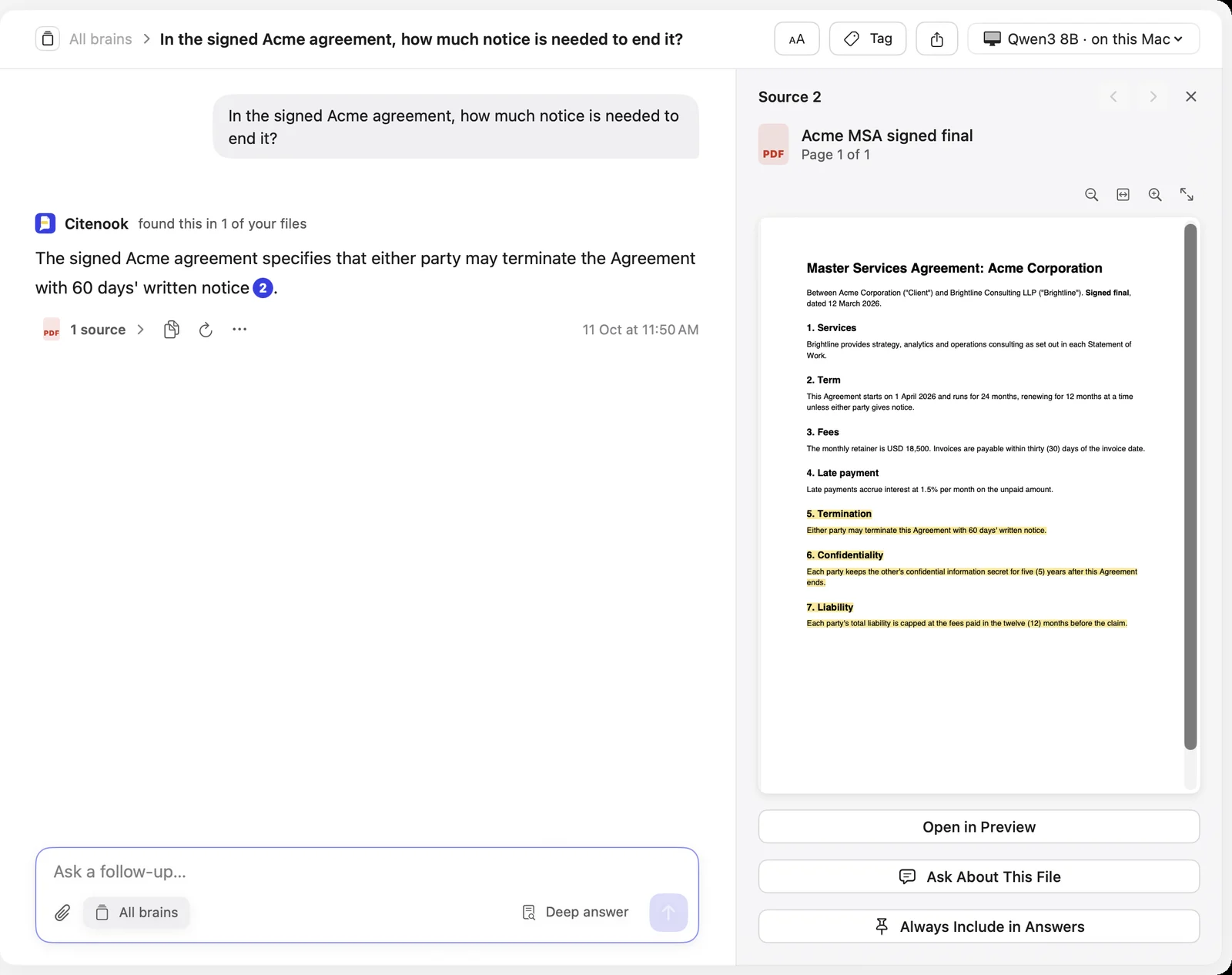
It's Mac only, and models on your Mac run best with 16 GB of memory; with 8 GB, Apple Intelligence is the better choice. It's free for 30 days, then from $9.99 a month. See also how to chat with 1,000 PDFs offline on a Mac and whether it's safe to paste client files into ChatGPT.
Questions
Can ChatGPT work without internet?
No. Every message is answered on OpenAI's servers, so the website and the apps need a connection. OpenAI doesn't offer an offline mode.
Is there an offline version of ChatGPT?
Not of ChatGPT itself. OpenAI's open model gpt-oss-20b is the closest: you download it once and run it offline in LM Studio or Ollama. It's smaller and has no web search.
Does the ChatGPT Mac app work offline?
No. Installing the app doesn't put the model on your Mac; the app sends your messages to OpenAI and needs a connection.
Is gpt-oss as good as ChatGPT?
No. OpenAI compares gpt-oss-20b to its older o3-mini model. It's good for everyday writing and questions but weaker on hard reasoning, and it can't search the web or read images.
Can I run gpt-oss on a Mac with 8 GB of memory?
Not well. OpenAI says it needs 16 GB. On an 8 GB Mac, apps that use Apple's on-device model are the better offline option.
Is offline AI more private?
Yes. With a model on your Mac, what you type and the files you attach never leave it. Check that the app isn't using a cloud model: Ollama, for example, offers both.
Sources, checked 11 October 2026: OpenAI Introducing gpt-oss, OpenAI Help Center ChatGPT macOS app and data controls, OpenAI community request for an offline mode; Ollama gpt-oss models, macOS requirements and new app; LM Studio system requirements, gpt-oss-20b, offline use, chat with documents and free for work; Apple Foundation Models framework (WWDC25). Citenook screenshot from our own test with made-up sample files.