 Citenook1
Blog · Privacy
How to delete your ChatGPT history, and what deleting doesn't remove
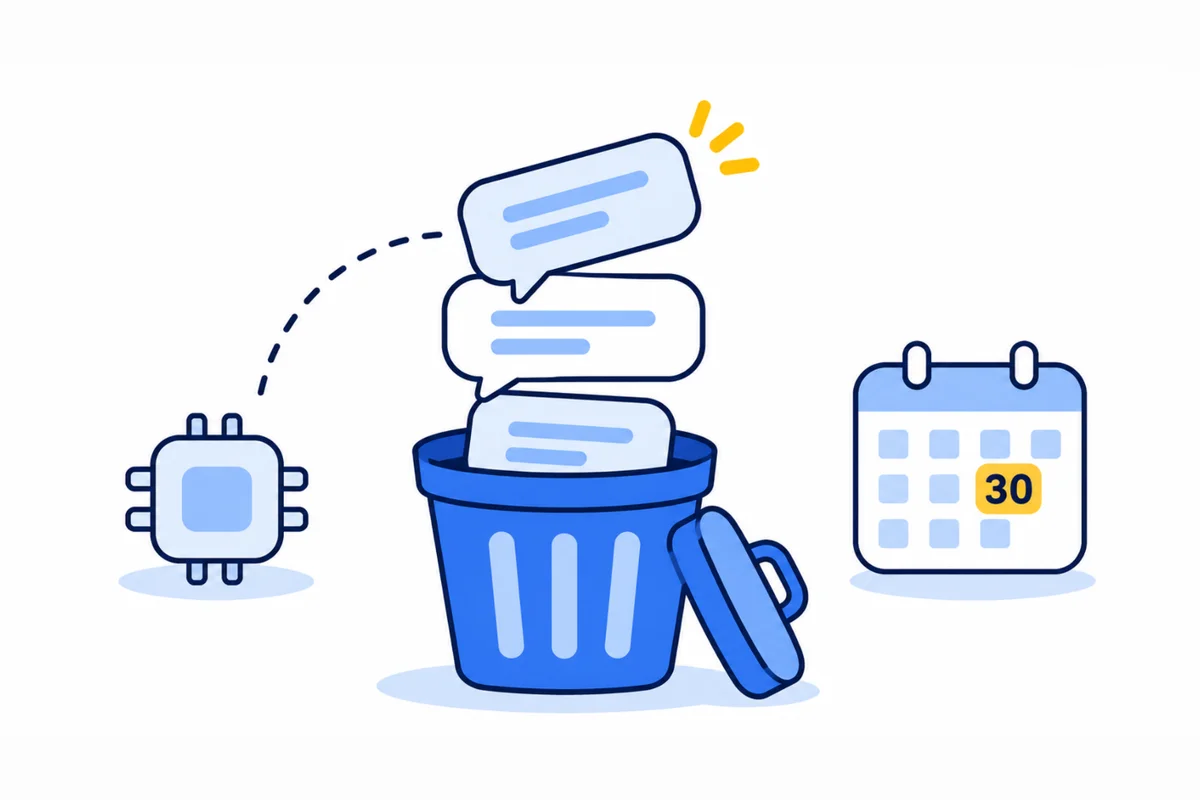
To delete one ChatGPT chat, open the ••• menu next to it in your history and select Delete. To delete all of them, go to Settings, then Data controls, then Delete all chats. Deleted chats disappear at once and OpenAI erases them from its systems within 30 days, with exceptions. Deleting chats doesn't delete your memories, saved files or shared links, so remove those separately.
This guide covers deleting one chat or all of them, archiving versus deleting, what OpenAI keeps afterwards, the things a chat delete leaves behind, memory, exporting a copy first, deleting your account, and whether ChatGPT sells your data. Facts come from OpenAI's own help pages and privacy policy, checked on 11 November 2026, and the screenshot is from our own ChatGPT account.
How to delete one ChatGPT chat
On the ChatGPT website:
- Find the chat in your history in the sidebar.
- Select the ••• menu next to its title.
- Select Delete, then confirm.
On iPhone and Android, open the menu (two lines at the top left), press and hold the chat's title, and select Delete.
There's no undo. OpenAI says "You cannot restore a deleted chat in ChatGPT or through OpenAI Support."
How to delete all your ChatGPT history at once
- Open Settings from your profile menu.
- Select Data controls.
- Next to Delete all chats, select Delete all.
- Read the confirmation, then confirm.
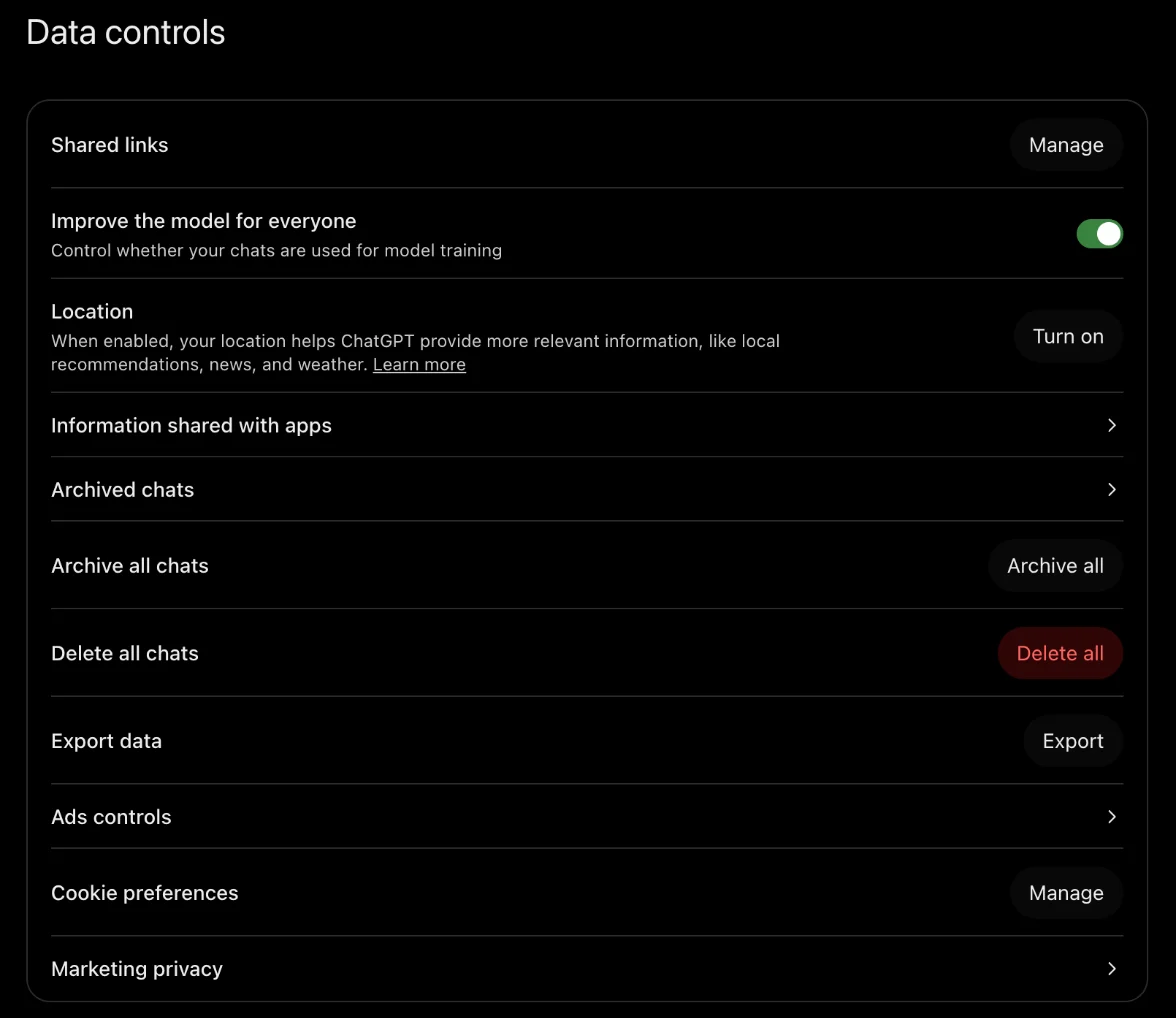
OpenAI warns that this "can affect chats in your current account or workspace, including chats in projects." If you want to keep a few, export a copy first (see below).
If you use ChatGPT at work, check you're in the right account or workspace first. Business and Enterprise workspaces can also keep chats under their own retention rules, and the company's compliance tools may still see them.
Delete or archive?
Archiving only tidies your sidebar. It's the right choice when you want a chat out of sight but might need it later.
| Archive | Delete | |
|---|---|---|
| Leaves your sidebar | Yes | Yes |
| Still in your account | Yes, and still searchable | No |
| Kept on OpenAI's servers | Until you delete it | Erased within 30 days, with exceptions |
| Can you get it back? | Yes: Settings, Data controls, Archived chats, Unarchive | No |
Archiving doesn't make a chat private: OpenAI keeps it like any other saved chat. To delete an archived chat, open Settings, then Data controls, then Archived chats, and select Delete next to it.
What OpenAI keeps after you delete a chat
The chat leaves your account straight away. OpenAI then "schedules it for permanent deletion from its systems within 30 days." There are two exceptions:
- Already used for training. If "Improve the model for everyone" was on, a copy may already have been "de-identified and disassociated from your account" for training. OpenAI's privacy policy says that copy isn't covered by your delete. Turning the setting off stops this for new chats, not old ones.
- Security or legal reasons. OpenAI may keep a chat longer for "security or legal obligations", for example a lawful subpoena or a chat that broke its rules.
What about the New York Times lawsuit? In 2025 a court made OpenAI keep deleted chats it would normally erase. OpenAI says that duty ended on 26 September 2025, so new deletions follow the 30-day rule again. It still holds a limited set of data from April to September 2025. More detail is in our ChatGPT Temporary Chat guide.
What deleting chats doesn't remove
A chat is only one place your information can live in ChatGPT. Here's what stays, and how to remove it:
| What stays | How to remove it |
|---|---|
| Memories ChatGPT saved from the chat | Settings, Personalization, Memory (see the next section) |
| Files saved to Library or Space | Delete them from Library or Space |
| Files in a project or custom GPT | Delete the file, the project or the GPT |
| Shared links to other chats | Settings, Data controls, Shared links, Manage |
| Copies of a shared chat other people saved | You can't. They're in those people's accounts |
| The original email or file in a connected app | Delete it in that app. Disconnecting stops future access only |
Deleting a chat does remove that chat's own shared link. Locked chats, which ChatGPT hides behind a 4-digit PIN under Projects, are deleted the same way: open the chat, then ••• and Delete. Locking a chat hides it but doesn't change how long OpenAI keeps it.
How to delete what ChatGPT remembers
This is the step most people miss. OpenAI says "Deleting a chat alone does not necessarily delete a separate saved memory created from that chat." To clear it:
- Open Settings, then Personalization, then Memory.
- Delete single items from your saved memories or the memory summary, or choose Delete and turn off memory from the summary's ••• menu to remove it all and switch Memory off.
- If you see Reference chat history, turn it off too. OpenAI then deletes what it learned from past chats within 30 days.
The controls you see depend on your plan and region. Our guide to ChatGPT memory walks through each one.
Save a copy before you delete
An export can't bring back chats you've already deleted, so do it first:
- Open Settings, then Data controls.
- Next to Export data, select Export, then Confirm export.
- Wait for the email or text. OpenAI says it can take up to 7 days, and the download link expires 24 hours after you get it.
The ZIP file has an index.html page that lets you search your chats in your browser, plus the raw data. Exports work on Free, Go, Plus and Pro, but not on Business or Enterprise workspaces.
How to delete your ChatGPT account
Deleting your account removes all your chats and data in one go. On the website:
- Open Settings, then Account.
- Next to Delete account, select Delete.
- Enter your email or phone number, type DELETE, and select Permanently delete my account.
On iPhone and Android it's under Settings, then Data controls. If you can't sign in, use OpenAI's Privacy Portal and choose "Delete my ChatGPT account". OpenAI deletes your data within 30 days, except a limited set it may keep "where required or permitted by law".
Two things to check first. Deleting your account doesn't cancel a subscription you bought through Apple or Google, so cancel that in the App Store or Google Play. And a deleted account can't be brought back, though you can sign up again with the same email after 30 days.
Does ChatGPT sell your data?
OpenAI says no. Its US privacy policy says: "We don't "sell" Personal Data." But it does share some data:
- Marketing partners: it may share "limited data" so OpenAI can advertise its own products to you on other sites. You can turn this off under Settings, Data controls, Marketing privacy. In our account, both switches there were on.
- Ads in ChatGPT: on Free and Go, OpenAI uses your ad history and interests to choose ads, subject to the Ads controls in the same menu.
- Others: service providers that run its systems, the authorities when the law requires it, and your company's admins on a work account.
Separately, your chats can train OpenAI's models unless you turn off "Improve the model for everyone". That isn't selling, but it's the setting that matters most for privacy. More in is ChatGPT confidential.
How to stop ChatGPT saving new history
Data controls has no switch that stops ChatGPT saving chats. The closest options:
- Temporary Chat: the chat stays out of your history and isn't used for training, but OpenAI may keep a copy for up to 30 days. Start one from the Temporary button on a new chat.
- Turn off training: Settings, Data controls, Improve the model for everyone. Your chats are still saved, just not used to train.
- Delete as you go: delete each chat when you're done with it.
When the files shouldn't go to OpenAI at all
Deleting is cleanup after the fact. For client files, patient notes or anything under an NDA, the safer choice is to never upload them. Citenook is a Mac app that answers questions from your PDFs, Word files and notes. With a model that runs on your Mac, your files, questions and answers stay on the Mac, and there's no chat history on anyone's server to delete. Each answer shows the exact sentence it came from. See what goes where.
It has limits. Models that run on a Mac are smaller than ChatGPT's best models, so answers can be simpler. If you connect an online AI instead, that company receives your question and the passages used to answer it. Citenook runs only on Macs with Apple silicon and macOS 15 or later. It's free for 30 days, then from $9.99 a month.
Questions
Does deleting ChatGPT history delete it permanently?
From your account, yes, right away. From OpenAI's systems, within 30 days, unless a de-identified copy was already used for training or OpenAI must keep it for security or legal reasons.
Can I recover deleted ChatGPT chats?
No. OpenAI can't restore them either. If you only wanted them out of sight, archive instead of deleting.
Does deleting chats delete ChatGPT's memory?
Not necessarily. Memories are stored separately. Delete them in Settings, Personalization, Memory.
Does deleting all chats delete archived chats?
OpenAI's page doesn't say clearly. Check Settings, Data controls, Archived chats afterwards and delete anything still there.
Can my employer see deleted ChatGPT chats?
On Business, Enterprise and Edu, the workspace's retention rules come first, and authorized compliance tools may still access workspace data. A personal account isn't linked to your employer's workspace.
How do I clear ChatGPT history on my phone?
For one chat, open the menu, press and hold the chat, and select Delete. For all chats, open Settings, then Data controls, then Delete all chats.
Sources, checked 11 November 2026: OpenAI Deleting and archiving chats, Chat and file retention, Memory in ChatGPT, Sharing conversations, Using locked chats, Exporting your data, Deleting your account, US privacy policy (updated 10 September 2026) and response to the New York Times' data demands. The screenshot is from our own ChatGPT account, with nothing deleted. This isn't legal advice.