 Citenook1
Blog · Guides
Claude connectors: what they can read, how to set them up, and where your data goes
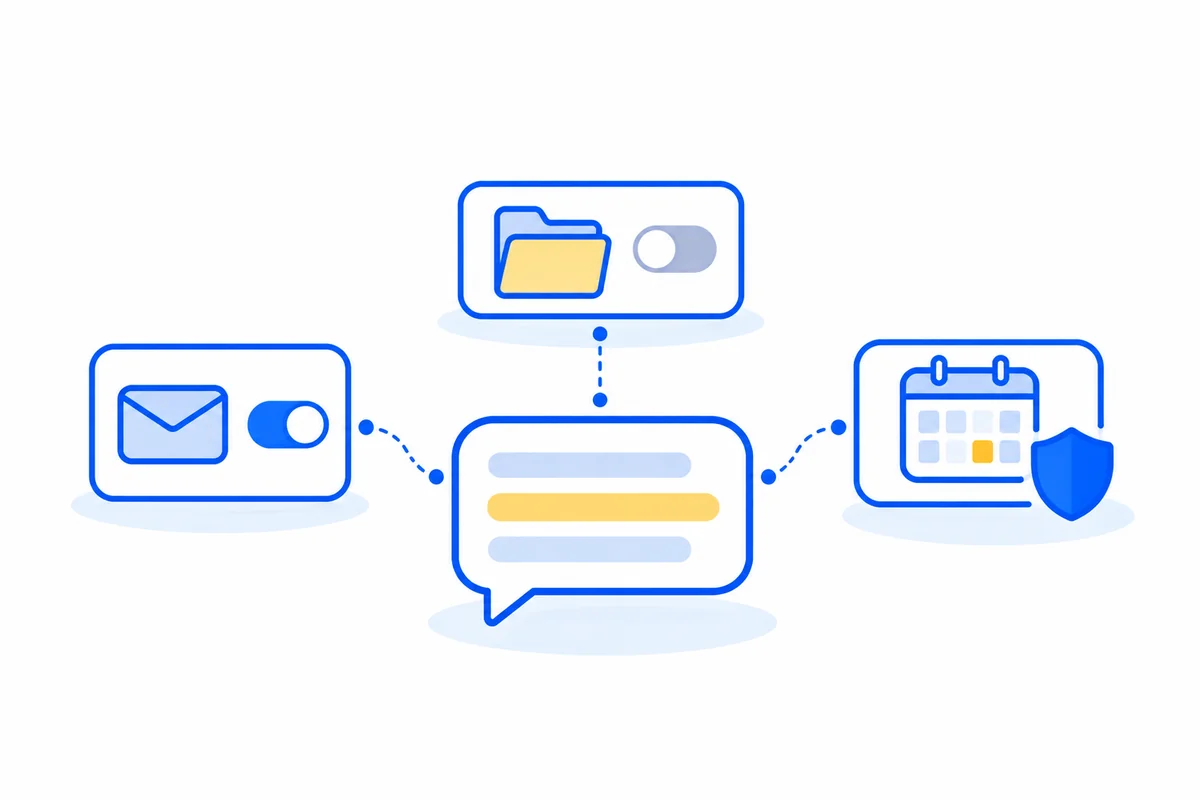
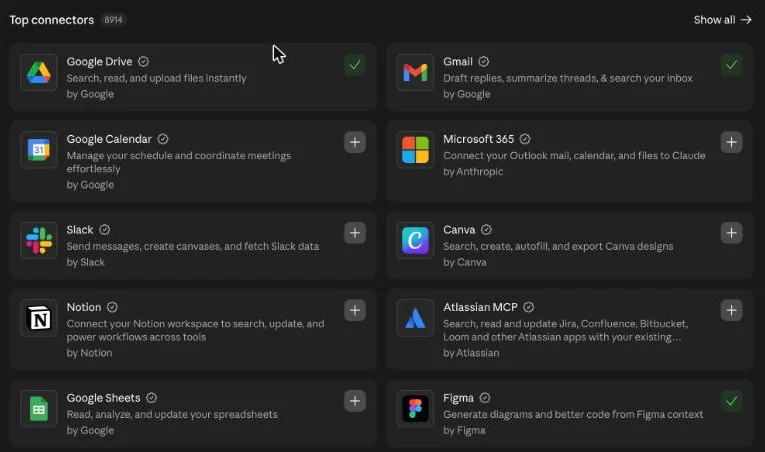
Claude connectors link Claude to apps like Gmail, Google Drive, Slack and Notion, so it can read your data and take actions there. They're available on every plan. Anthropic says it doesn't train on raw connector content, but the data Claude retrieves is stored with your chat on its servers, and third-party apps handle data under their own terms.
This guide covers what connectors can do, which plans have them, how to set one up, the permission settings worth changing, what happens to your data, and how to disconnect. We looked through the settings on a real Claude account and changed nothing. Facts come from Anthropic's own help pages and docs, checked on 3 November 2026. Citenook isn't connected to Anthropic.
What are Claude connectors?
A connector gives Claude access to another service on your behalf. Once it's on, you can ask "What did Sam say about the budget last week?" and Claude searches your email, or ask it to add a calendar event. Most connectors are built on MCP, the Model Context Protocol, an open standard for linking AI tools to other software.
Claude gets your permissions in that service, so it can't reach what you can't reach. The other side of that is important: if you can see all of a shared drive, so can Claude.
Types of connector, and which plans have them
| Type | What it is | Plans |
|---|---|---|
| Directory connectors | Ready-made, listed in the Connectors directory | All plans, on web, desktop and mobile |
| Custom connectors | A remote MCP server you add by its address. Anthropic hasn't reviewed it | All plans. Free is limited to one |
| Desktop extensions | Installed in Claude Desktop | All plans, in Claude Desktop |
On Team and Enterprise plans, an Owner has to enable a connector before members can use it, and Owners can limit what it may do across the organization. Connectors are available only in private projects there, and chats with synced content can't be shared.
How to set up a connector
- In Claude, go to Customize, then Connectors. You can also click + in a chat, or type /.
- Pick a connector and read what it can do.
- Click Connect or Install, and sign in to that service.
- Set its permissions, as shown in the next section.
- In a chat, click +, hover over Connectors, and switch on only the ones that chat needs.
Then just ask. You don't need special wording, and Claude uses the connector when it's relevant.
The permission settings worth checking
Each connector's tools are grouped by type, and each can be set to Always allow, Needs approval or Blocked. Open it from Customize, Connectors, then the connector's tool permissions.
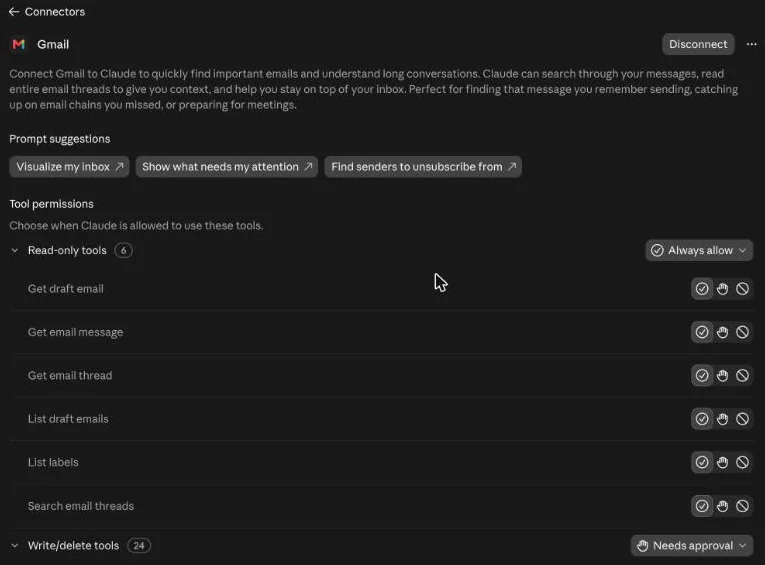
Our advice is to keep anything that writes, sends or deletes on Needs approval. If a connector reads things you rarely need, set those tools to Blocked as well. These settings only narrow access, and they can't give Claude more than the service allows.
Here's what the Google connectors can do, which is a useful guide to how much access a connector can have:
| Connector | Reads | Can change | Limits |
|---|---|---|---|
| Gmail | Emails, threads, drafts, labels | Drafts and labels. Sends, replies and forwards, with approval by default | Sees attachment details, not their content |
| Google Drive | Docs, Sheets, Slides, PDFs, images, Office files, permissions | Uploads and folders. Shares, moves and trashes, with approval by default | Takes text only from files, not embedded images |
| Google Calendar | Events and shared calendars | Creates, updates and deletes events, manages attendees | Follows Google's rate limits |
What happens to your data
- Training: Anthropic says "We do not train our models on your Gmail, Drive, or Calendar connector data." Its general policy also leaves raw connector content out of training, including other MCP servers.
- The catch: on a personal plan with model training on, text you copy into a chat can be used, and so can Claude's replies that contain details from a connector. To see or change this setting, read is Claude safe.
- Storage: what Claude retrieves from Google is stored on Anthropic's servers with that chat. Deleting the chat deletes it.
- Third parties: connected services process data on their own systems, under their own terms, and possibly outside the US.
- Access: for Google, Claude uses only the account you connected, and reads data only when your request needs it.
Are Claude connectors safe?
They're reasonably safe with well-known services and sensible permissions, but they add risks that a plain chat doesn't have.
- Review labels aren't audits. Anthropic tests Verified connectors, and says this "isn't a security audit." Community connectors are screened but not reviewed in depth, and Custom ones aren't reviewed at all. A developer can also change a connector's tools after review.
- Prompt injection. An email or web page could contain hidden instructions aimed at Claude. Anthropic tells users to "stay aware of prompt injection risks," even with its built-in protections. This is the main reason to keep sending and deleting on Needs approval.
- Wide access. A connector reaches everything your account can reach, including old mail and shared folders.
- Work and client data. Check your company's rules first. If you handle patient data, Anthropic lists connectors as not covered by its BAA, even on a HIPAA-ready plan. See is Claude HIPAA compliant. Lawyers have their own rules too, covered in ChatGPT for lawyers, which apply to Claude as well.
How to disconnect a connector
- Go to Customize, Connectors, choose the connector, and click Disconnect.
- For Google, also go to myaccount.google.com/connections, find Claude, and remove its access.
- Delete any chats that used data you'd rather not keep with Anthropic.
Disconnecting stops new access. It doesn't clear data already saved in old chats, which is why the last step matters.
If your files shouldn't go to an AI company
Connectors are very useful when you're happy for that data to reach Anthropic. For contracts, client files or patient records, you may want the opposite. Citenook is a Mac app that reads folders on your Mac and answers with a model running there, so nothing is uploaded, and every answer links to the exact passage it came from. See how it compares with Gemini Notebook and what goes where.
It does much less than connectors, and that's the trade-off. It can't read your Gmail or Slack, and it won't send email or book anything. It's Mac only, and starts at $9.99 a month after a 30-day free trial. Many people will use both: Claude for everyday apps, and something local for the files that can't leave.
Questions
Are Claude connectors free?
Yes, directory connectors are available on every plan, including Free. Free users can add one custom connector. Some connected services need their own paid account.
Does Claude train on my connector data?
Anthropic says raw connector content isn't used for training. On a personal plan with training on, text you copy into a chat, and Claude's replies containing connector details, may be used.
Can Claude send email without asking?
By default it asks for approval before sending, replying or forwarding. Check your tool permissions, because these can be changed to Always allow.
What's the difference between connectors and MCP?
MCP is the open standard, and connectors are the ready-to-use links built on it. A custom connector is simply a remote MCP server you add yourself.
Can Claude read my Gmail attachments?
Not through the Gmail connector. It sees details such as the file name, but not the content. Anthropic's page says Gmail provides attachment metadata only.
Why can't I see connectors on my work account?
On Team and Enterprise plans, an Owner has to enable each connector first. Ask whoever manages your Claude organization.
Sources, checked 3 November 2026: Anthropic use connectors to extend Claude's capabilities, use Google Workspace connectors, connector verification, is my data used for model training, business associate agreements and connectors for everyday life.