 Citenook1
Blog · Guides
Can you use NotebookLM offline?
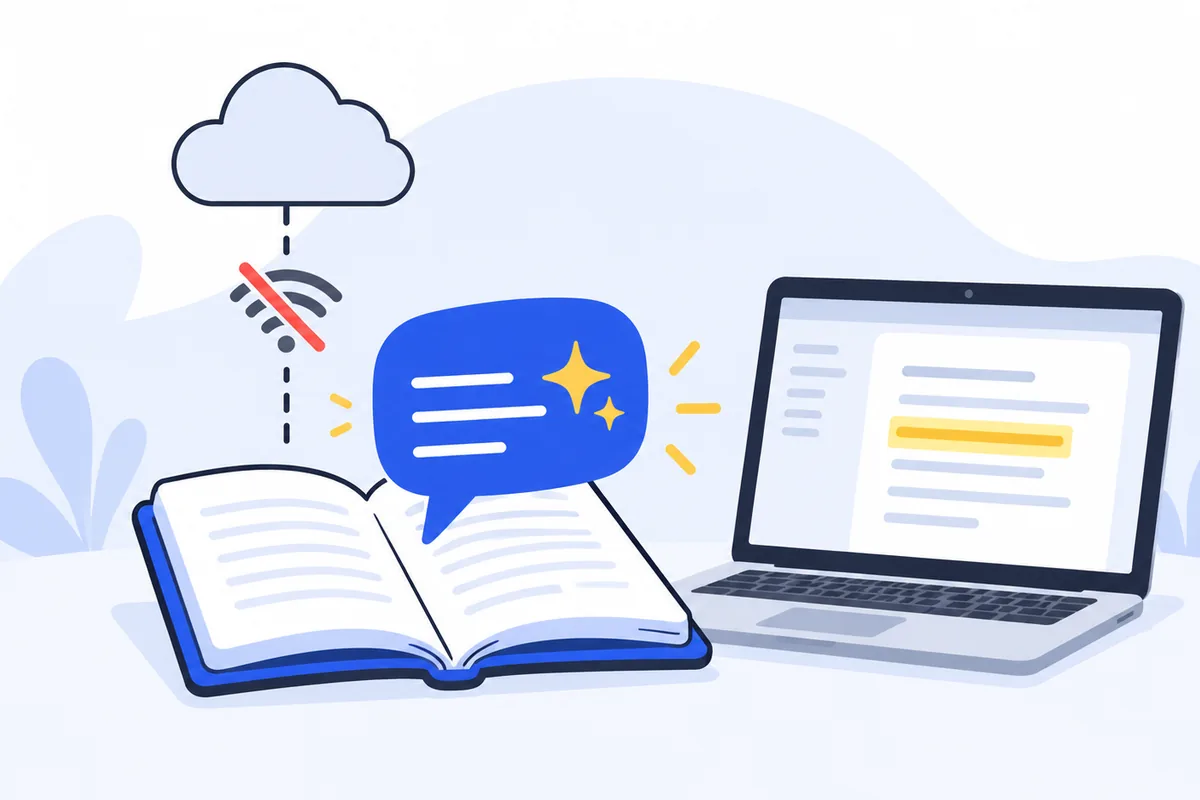
No. NotebookLM, now called Gemini Notebook, runs on Google's servers, so you need an internet connection to add sources, ask questions and make Audio Overviews. The one thing that works offline is listening to Audio Overviews you downloaded in the phone app beforehand. To ask questions about your documents with no internet, you need an app that runs on your own computer, with an AI model on your computer too.
This guide shows what works offline and what doesn't, how to prepare before a flight or a trip, and the options for asking your files questions with no connection at all. Google's details were checked on 7 October 2026 and can change.
What works offline, and what doesn't
Google renamed NotebookLM to Gemini Notebook on 16 July 2026. It's the same product, it works in a web browser and in phone apps, and its help pages don't describe an offline mode. Here's what you can and can't do without a connection:
| Task | Offline? |
|---|---|
| Listen to an Audio Overview you downloaded in the phone app | Yes |
| Ask questions about your sources (chat) | No |
| Add, sync or remove sources | No |
| Make an Audio Overview, mind map, report, quiz or flashcards | No |
| Open a notebook in the web browser | No |
Why it can't work offline
When you add a file to Gemini Notebook, Google keeps a copy of it. Google's help page puts it plainly: a source is "a copy or auto-synced version" of the document you upload. Reading your sources, finding the right passages and writing an answer all happen on Google's computers, using Gemini models that are far too large to run on a laptop or phone. Without a connection, there's nothing for the app to talk to.
That's also why it can do things an offline tool can't, like turning your sources into a podcast-style Audio Overview in many languages. It's a trade: the cloud gives it power, and it takes away offline use.
Before you lose your connection
If you'll be on a plane, a train or somewhere with poor signal, a few minutes of preparation helps:
- Download your Audio Overviews. In the Gemini Notebook app on your phone (iPhone, iPad or Android), open the notebook and download its Audio Overview for offline listening. It stays inside the app: Google says it "cannot be downloaded as a file to your device".
- Ask your important questions now. If you know what you'll need, ask while you're online and copy the answers into your notes app.
- Keep the original files with you. Your PDFs and documents on your laptop still open offline, even if you can't ask questions about them.
This works when you know your questions ahead of time. It doesn't help when a new question comes up mid-flight.
How to ask your documents questions offline
To ask new questions with no connection, every step has to happen on your computer: reading the files, searching them and writing the answer. That takes two things on your computer: an app that reads and searches your files, and an AI model that writes the answer.
Option 1: Citenook on a Mac
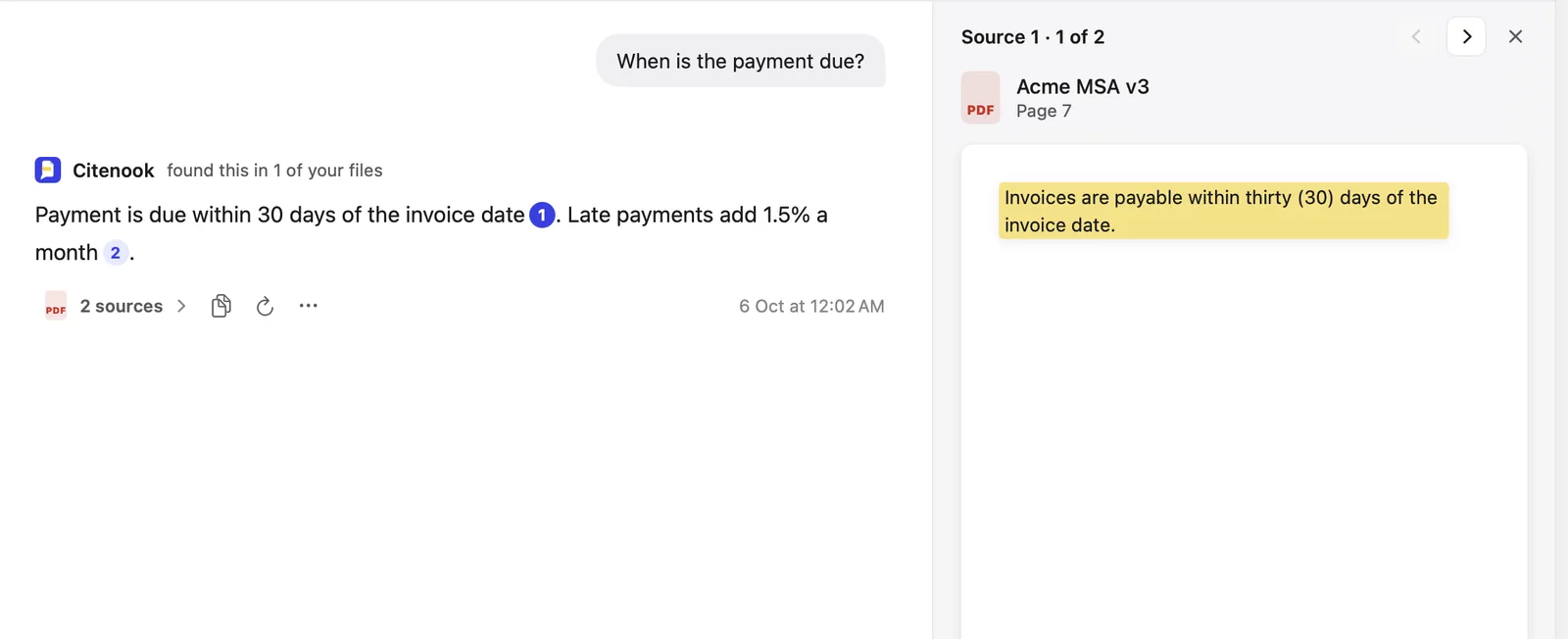
Citenook is a Mac app that does both. You add a folder of files, choose a model that runs on your Mac, and ask. Every answer links to the exact sentence it came from, like Gemini Notebook's citations, and it works the same with Wi-Fi off.
- Choose Start free, enter your email and download Citenook. The 30-day free month needs no card.
- Make a brain and add the folder with your files: PDFs, Word documents, spreadsheets, notes and more.
- In Settings → Answers, choose Apple Intelligence or download a model once. Models that run on your Mac work best with 16 GB of memory or more.
- Turn off Wi-Fi and ask. Click a number in the answer to see the sentence highlighted on the page.
The trade-offs: it's Mac only (Apple silicon, macOS 15 or later), it costs $9.99 to $29.99 a month after the free month, and it doesn't make Audio Overviews or share notebooks. Models small enough to run on a laptop are good at finding and quoting, but they write less polished long answers than Google's.
Option 2: AnythingLLM, free and open source
AnythingLLM is a free, open-source desktop app for Mac, Windows and Linux that can run fully offline with a model it downloads for you. It's a good choice if you're on Windows or Linux, or want something free and don't mind more settings to tune. See Citenook vs AnythingLLM for the differences.
Option 3: Build your own
If you write code, you can combine a model runner like Ollama with a search library and your own scripts. You'll build the reading, search and citations yourself, which is a project, not an afternoon.
Which should you use?
- You're online most of the time and want Audio Overviews or sharing: stay with Gemini Notebook and download your Audio Overviews before trips.
- You often work with no signal, or your files are confidential: use an app that runs on your computer, so nothing needs a connection and nothing is uploaded.
- You're on a Mac and want it working in minutes, with exact sources: try Citenook.
- You're on Windows or Linux, or want free and open source: try AnythingLLM.
Offline is also private
An app that works offline has a second benefit: your files never leave your computer. With Gemini Notebook, every source is a copy on Google's servers. Google says personal accounts' content isn't used to train its models unless you give feedback, and that feedback can be reviewed by people and kept up to 3 years. For client files, contracts or medical records, that difference can matter more than offline use. Our guide on pasting client files into AI goes into more detail.
Questions
Can you use NotebookLM offline?
No. Gemini Notebook, formerly NotebookLM, needs an internet connection to chat, add sources and make anything new. Only Audio Overviews downloaded in the phone app play offline.
Does the NotebookLM phone app work offline?
Only for listening to Audio Overviews you downloaded beforehand. Asking questions and adding sources need a connection.
Is there an offline version of NotebookLM?
Google doesn't offer one. For offline questions about your files, use an app that runs on your computer with a local model, such as Citenook on a Mac or AnythingLLM.
Can I use NotebookLM without a Google account?
No. Gemini Notebook needs a personal, work or school Google account, and you may need to verify your age. Apps that run on your computer, like Citenook, don't need a Google account.
Is NotebookLM the same as Gemini Notebook?
Yes. Google renamed it on 16 July 2026, and old links redirect to the new address.
Sources, checked 7 October 2026: Gemini Notebook mobile app, adding sources, getting started, privacy, the rename, AnythingLLM privacy.