 Citenook1
Blog · Guides
Is there a NotebookLM app for Mac?
No, there's no official NotebookLM app for Mac. NotebookLM, now called Gemini Notebook, has apps for iPhone, iPad and Android, but on a Mac you use it in a web browser. You can make the website feel like an app by adding it to your Dock, or open your notebooks inside Google's Gemini app for Mac. If you want a real Mac app that asks questions about your files, you'll need a different tool.
This guide covers every way to use Gemini Notebook on a Mac today, what each one can and can't do, which "NotebookLM for Mac" downloads to be careful with, and native Mac apps that do a similar job. Google's details were checked on 7 October 2026.
Where Gemini Notebook has apps
Google renamed NotebookLM to Gemini Notebook on 16 July 2026. Its phone apps launched in May 2025 and now carry the new name in both stores:
| Device | Official app? | Needs |
|---|---|---|
| iPhone and iPad | Yes, "Gemini Notebook" on the App Store | iOS or iPadOS 17 or later |
| Android phones and tablets | Yes, "Gemini Notebook" on Google Play | Android 10 or later |
| Mac | No, use the website | A web browser |
| Windows | No, use the website | A web browser |
Many iPad apps can be installed on Macs with Apple silicon from the Mac App Store, but Google hasn't made the Gemini Notebook app available there. Google hasn't announced a Mac app either.
Three ways to use it on a Mac today
1. In your browser
Go to notebook.google.com in Safari, Chrome or another browser and sign in with your Google account. This is the full version, with every feature: sources, chat with citations, Audio and Video Overviews, mind maps, reports and sharing. The old notebooklm.google.com address still redirects there.
2. Add the website to your Dock
Your Mac can turn a website into something that looks and acts like an app, with its own Dock icon and window:
- Safari: open notebook.google.com, then choose File → Add to Dock. This needs macOS Sonoma or later.
- Chrome: open notebook.google.com, click the ⋮ menu, then Cast, save, and share → Install page as app.
It's still the website inside, so it has the same features and needs an internet connection, but it opens from the Dock and Spotlight like any app and stays out of your browser tabs. This is the closest thing to a Mac app today.
3. Open notebooks in the Gemini app for Mac
Google's Gemini app does run on Macs with Apple silicon and macOS 15 or later, and Google says you can use your notebooks in it, "even though the Gemini Notebook connected app isn't available there yet." You can chat with a notebook's sources there, but you can't make Audio Overviews or anything else from the Studio panel. For those, go back to the website.
Be careful with "NotebookLM for Mac" downloads
Search for a NotebookLM Mac app and you'll find downloads that look official but aren't from Google: apps on the Mac App Store with similar names, and unofficial wrappers shared on file-download sites. Some may be fine, but you'd be signing in with your Google account through software Google didn't make. Fake AI app installers have been used to spread malware before. If you want an app icon, use Safari's or Chrome's own option above: it's free, and you sign in on Google's real website.
If you want a real Mac app
A website in the Dock still uploads every source to Google and stops working without internet. If what you want is a Mac app that answers questions from your files, cites its sources, and works on your Mac, these are the options:
Citenook
Citenook is a native Mac app built for this. Add whole folders instead of uploading files one by one, and ask questions in plain words. Each answer links to the exact sentence it came from, and a PDF opens at the page with that sentence highlighted. With a model on your Mac, it works offline and nothing is uploaded. There's no source limit to manage: the Pro plans have no limit on files.
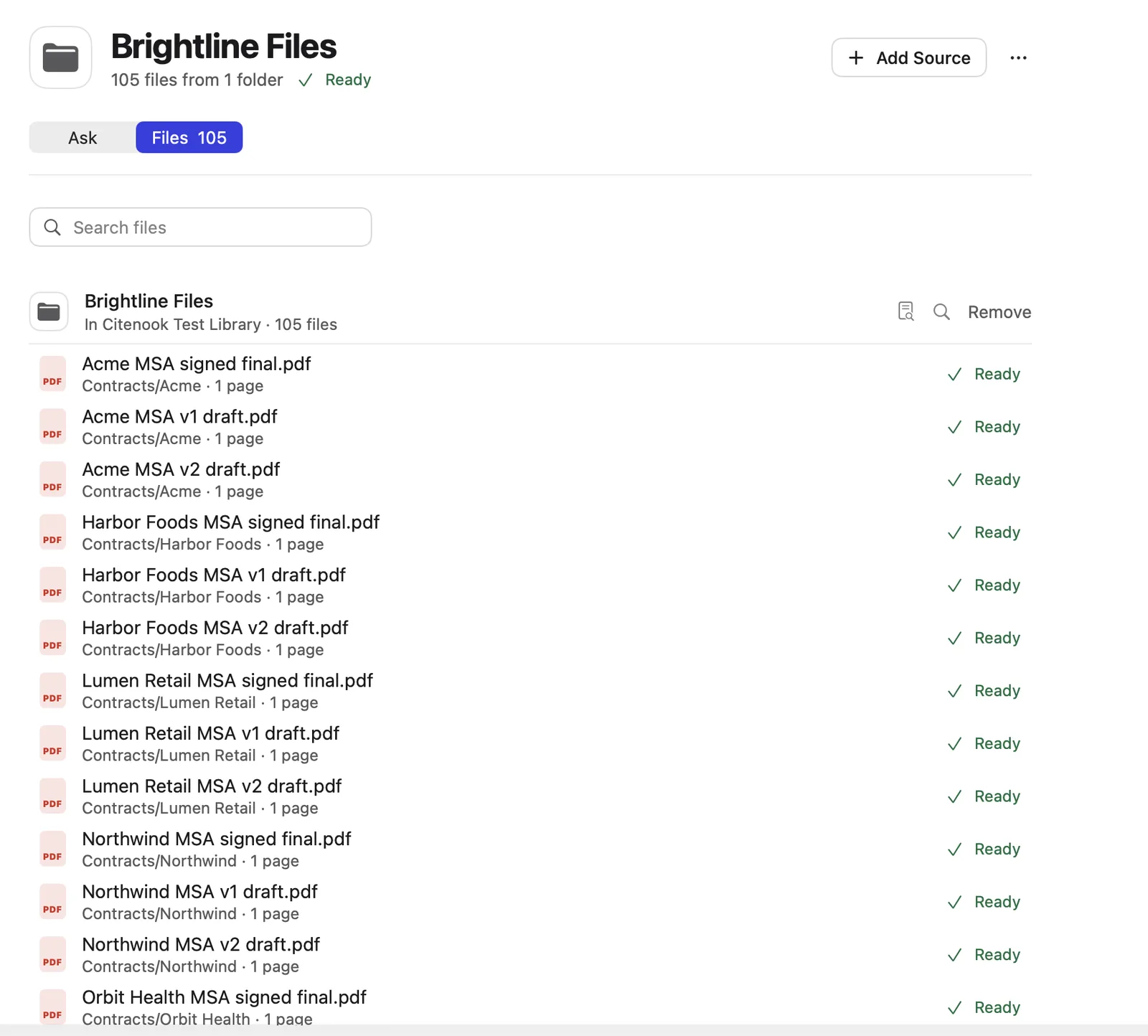
The trade-offs: it's Mac only (Apple silicon, macOS 15 or later), it costs $9.99 to $29.99 a month after a 30-day free month with no card, and it doesn't make Audio Overviews, quizzes or shared notebooks. See Citenook vs Gemini Notebook for a full comparison.
Elephas
Elephas is a paid Mac app with "Super Brains" for your documents, plus writing tools that work in any Mac app, and an iPhone and iPad app. It suits people who want one AI tool for writing and documents. See Citenook vs Elephas.
AnythingLLM
AnythingLLM is a free, open-source desktop app for Mac, Windows and Linux that can chat with documents and run offline. It has more settings to tune, and suits people who like to set things up themselves. See Citenook vs AnythingLLM.
Which should you choose?
- You like Gemini Notebook and just want an icon: add the website to your Dock from Safari or Chrome.
- You already use Gemini on your Mac: open your notebooks in the Gemini app, and use the website for Audio Overviews.
- You want a Mac app that works offline and keeps files private: try Citenook or AnythingLLM.
- You want AI writing tools in every app too: look at Elephas.
Questions
Is there a NotebookLM app for Mac?
No. Gemini Notebook, formerly NotebookLM, has official apps only for iPhone, iPad and Android. On a Mac, use the website, add it to your Dock, or open your notebooks in the Gemini app.
Can I install the iPad app on my Mac?
No. Google hasn't made the Gemini Notebook iPad app available on the Mac App Store, so it can't be installed on a Mac.
How do I download NotebookLM on my Mac?
There's nothing to download from Google. Open notebook.google.com in Safari and choose File → Add to Dock, or in Chrome choose Install page as app, to get a Dock icon.
Is there a NotebookLM app for Windows?
No official one. Use the website in your browser; Chrome and Edge can install it as an app.
Does Gemini Notebook work offline on a Mac?
No. It needs an internet connection. See can you use NotebookLM offline for what works and the offline options.
Sources, checked 7 October 2026: Gemini Notebook mobile app, App Store listing, Google Play listing, notebooks in the Gemini app, what Gemini can do with notebooks, Gemini for Mac, the app launch, the rename.